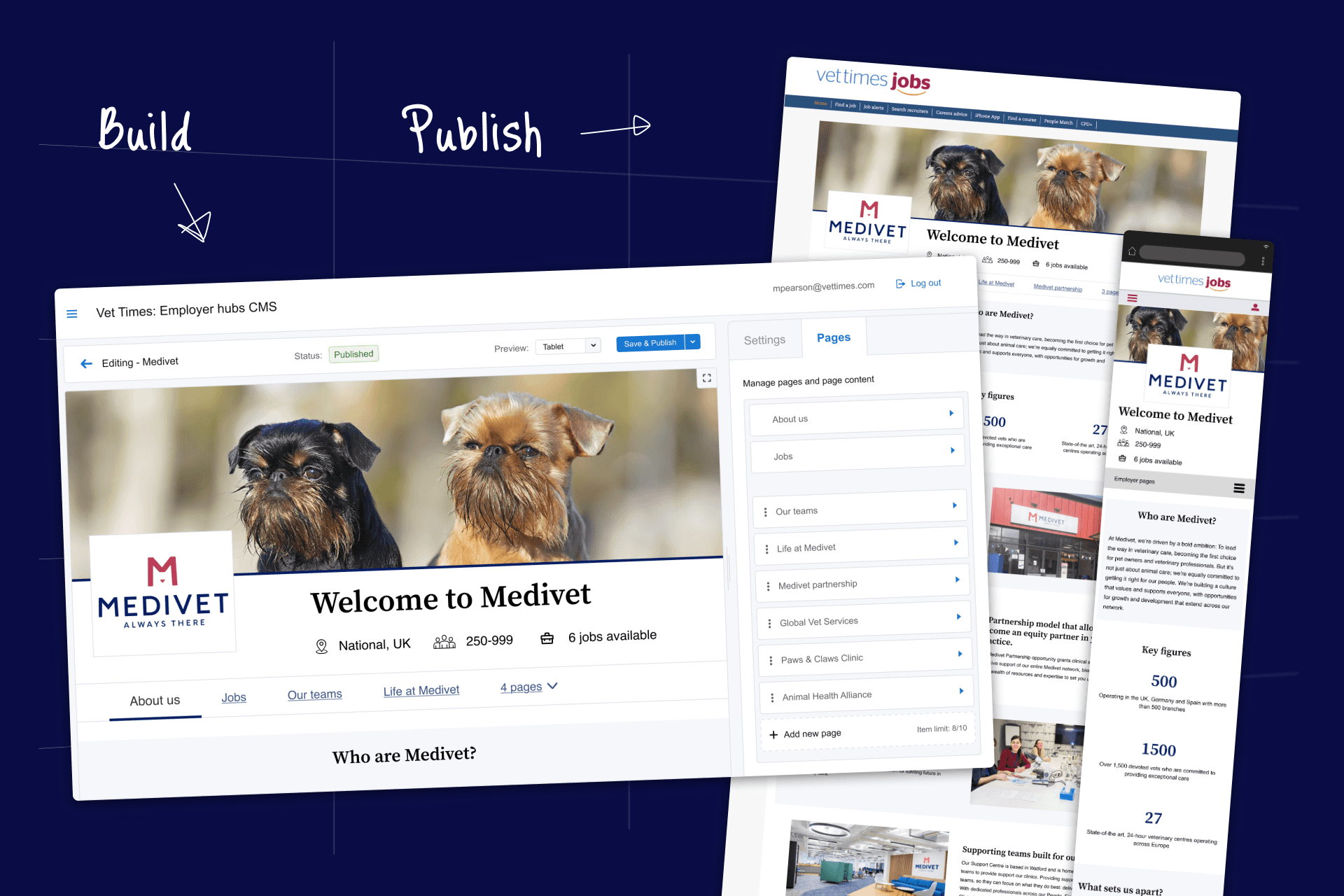
The Product: Employer Hubs
Quick Stats
2000+ Sites built
24% response increase
55 clients deployed
The Challenge
My first major project as a Senior Designer came with a complicated history. The team I joined had previously launched a similar product that had failed due to poor adoption. I was tasked with leading the design on an employer branding web-page builder and every design decision was compared to the failed product.
The business problem:
Job seekers were reading job descriptions on our platform, then leaving to research company culture on other sites. They applied for the jobs on these external sites instead of through our career centres.
Job centres measure their success through applications and this pattern was costing us dearly. We needed employer branding content to keep job seekers inside our ecosystem.
The organisational challenge:
The team was sceptical of the concept's potential. The product owner wanted to reuse old designs as this would be cheaper and faster to produce. The project team compared my decisions to the failed predecessor, questioning anything that differed, with a fear of sinking development time into a doomed product.
I had to prove my judgment before I could gain autonomy as the design leader.
My role:
I was a solo designer on this 6-month project. I owned product strategy, research analysis, information architecture, the full user-flow, and UI design. I pitched decisions to the product owner and dev lead, presented at sprint ceremonies, and collaborated on implementation.
Success metrics:

Application rate
Does use of the product improve the rate in which job seekers apply for a job with that employer?
Adoption rate
What percentage of our client base engage with the product in a meaningful way?

Resource cost
Does the product reduce the cost of internal resources, compared to the alternative?
The Pattern I Discovered.
Through research with our clients (marketing teams, customer success managers, site owners), I discovered a critical insight:
Our users wanted full creative control, but they lacked design expertise.
Research vidence:
Varying design capabilities across clients
Most were repurposing employer supplied assets (not creating original content)
Only 1 in 6 interviewed understood fundamental accessibility requirements
Clients requested features that could easily brake user experiences
Managing stakeholders:
The product manager wanted to give users unlimited creative control (it's what the client clients wanted after all). The team who worked on the previous product believed that it failed because it did not provide what its users were looking for.
However, my research showed our clients didn't have the expertise needed to handle this level of design freedom. They needed constraints to prevent inaccessible, off-brand, or broken designs.
The key challenge:
How do I advocate for constraints in a team that wants to avoid "limiting users" again?
What users want
Unlimited control
All colour options
Pixel-perfect customisation
Match employer's career site exactly

"Unlimited freedom"
= Accessibility issues, high workload and inconsistent results
What users need
Smart constraints
Accessibility guardrails
Design vetted styles and templates
"Forgiving" and adaptable layout

Critical Decision.
How I navigated team trauma from a failed product by compromising strategically and gather evidence that built lasting trust.
Using beta testing to gather strategic evidence and prove the value of design constraints
The context:
The product manager wanted users to control all text and background colours on every individual component of the site, so they could recreate employers existing career sites on our platform. The dev team had code from the failed product that could be reused to support this.
Seemingly an easy win but my user interviews told me this would fail.
We knew our users weren't designers. They had no experience with colour contrast requirements or accessibility. They'd create unusable pages that poorly represented their employers.
I was new to the team and the failed predecessor was fresh in everyone's mind. Advising against giving users more control sounded like I was repeating past mistakes. The team pushed back against this thinking.
My compromise:
To solve this issue I was willing to give our users freedom in a controlled environment. I proposed a test.
"Can we limit customisation to one section, launch with our beta users, and see what happens? If they handle it well, we can give them full control on every section. If not, we'll keep them restricted."
The team agreed that this was a reasonable middle ground.
The beta test:
Give 6 users access to the prototype for 1 month and see what they build
5 of 6 created sites with instances of inaccessible contrast
2 asked to apply colour control to all sections
Only 1 user demonstrated fundamental accessibility knowledge when asked
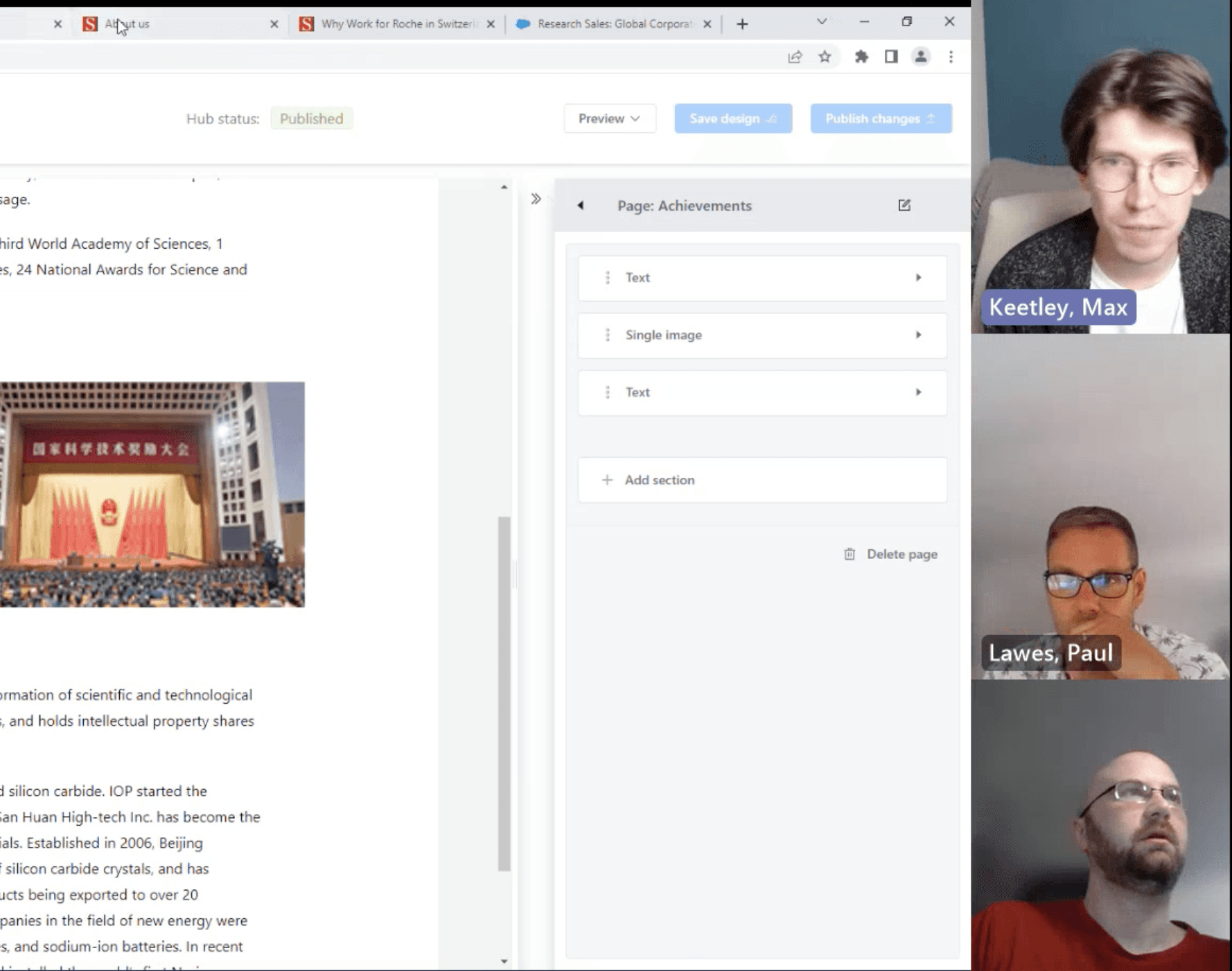
The validation: awful user designs
I got the entire team involved in reviewing the interviews. We saw harsh clashing colours, text unreadable against backgrounds and designs that didn't match the employers' brands.
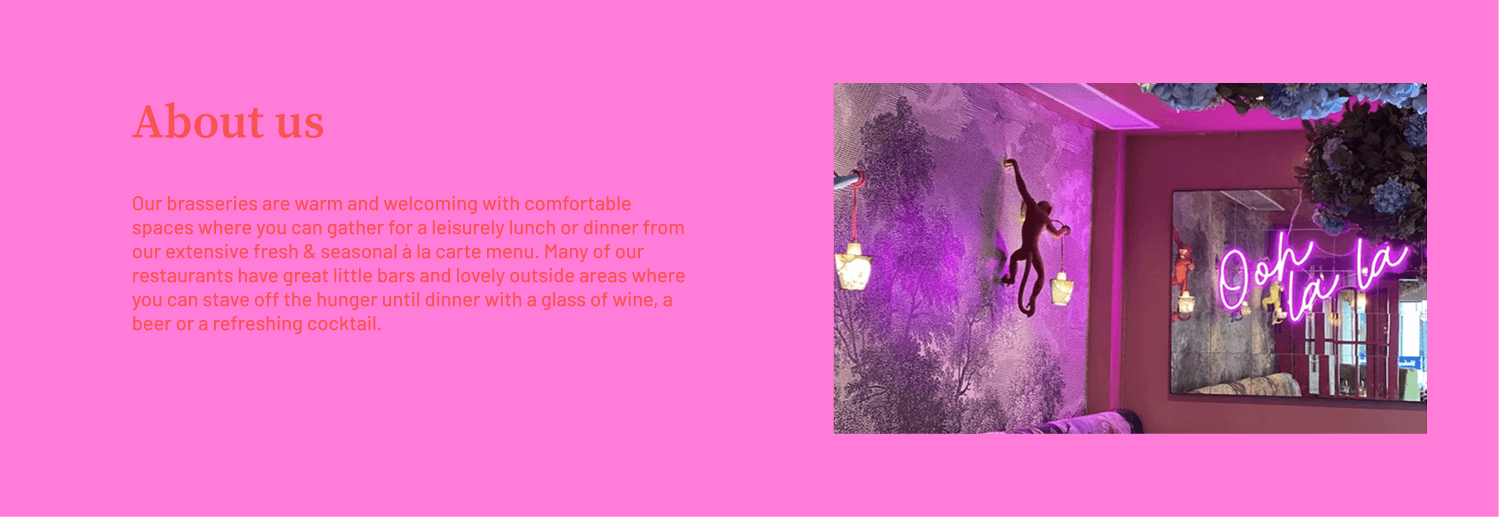
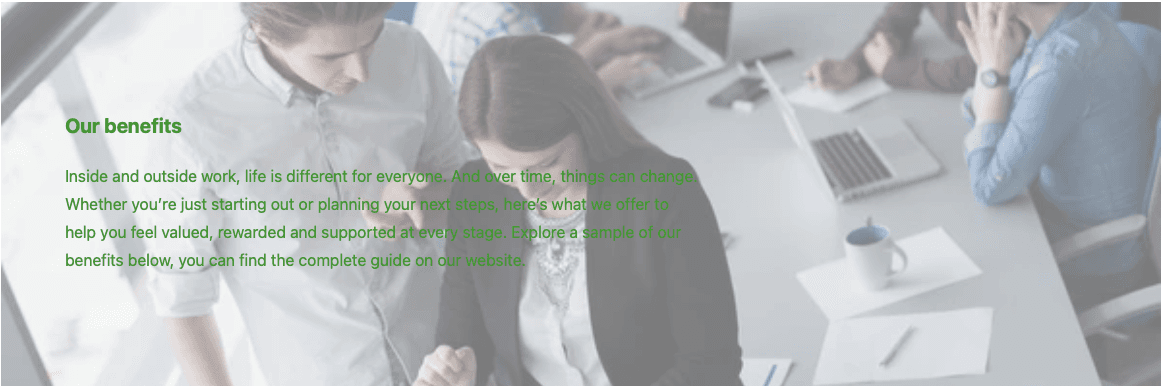
The outcome:

We agreed to roll back colour customisation. This required a late-night maintenance session to republish all beta user sites with default colours. This was a difficult process and would be impossible now with 3000+ live employer hubs.
Team trust
This validation built trust in my capabilities as a designer! The team started believing my design judgment was protecting them from additional work rather than adding to it.
An alternative design:
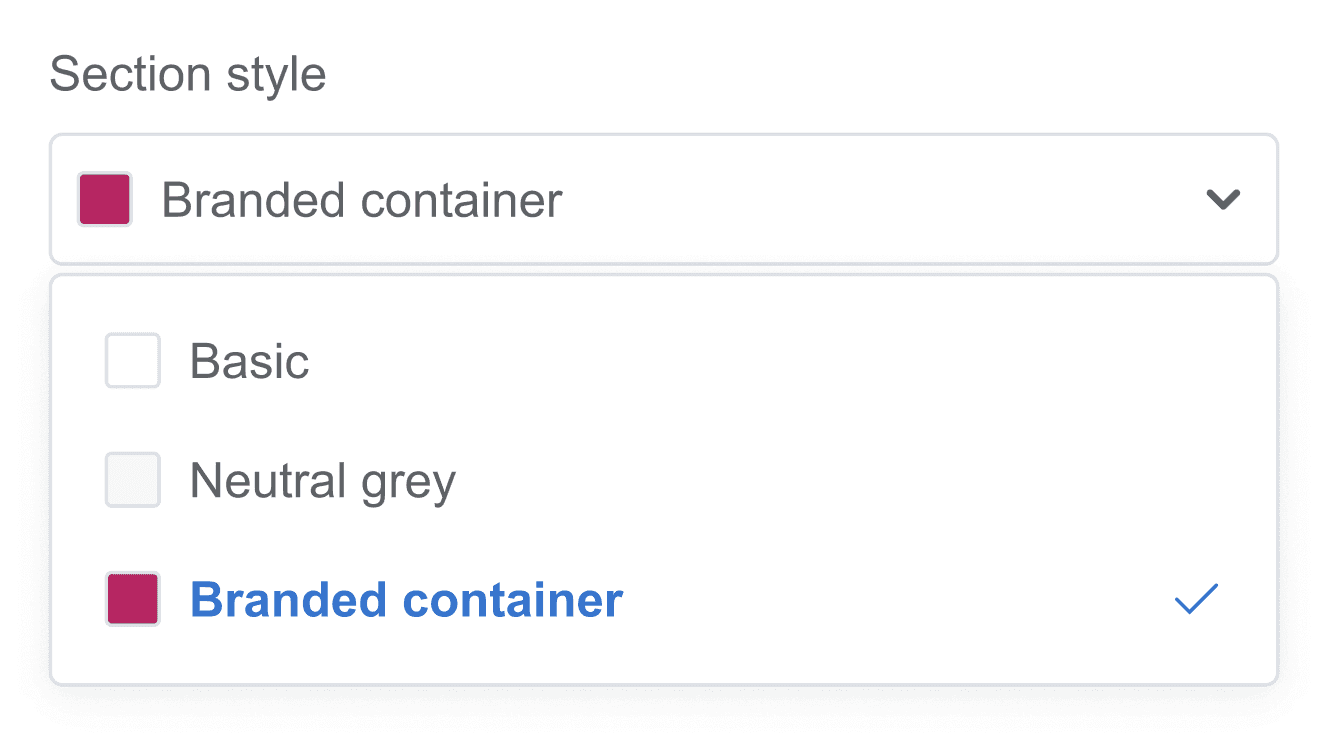
To give our users a level of controlled freedom, I created the "Section style". These were 3 preset text and background combinations to choose from.
All using design system brand tokens. All WCAG 4.5:1 compliant.
Plain white - Black text on a white background
Neutral grey - Black text with a light grey background
Branded container - The brand tokens we use for the employer's button colours and text.
The Pattern Continued.
More examples of negotiation to deliver a tool that creates consistent and usable sites, with customisation that's under control.
#1 - Image resolution control:
The team wanted to use native resolution for image uploads. This was the easiest way to implement the feature. Based on our initial research I was concerned about our users' lack of understanding on appropriate image resolution.
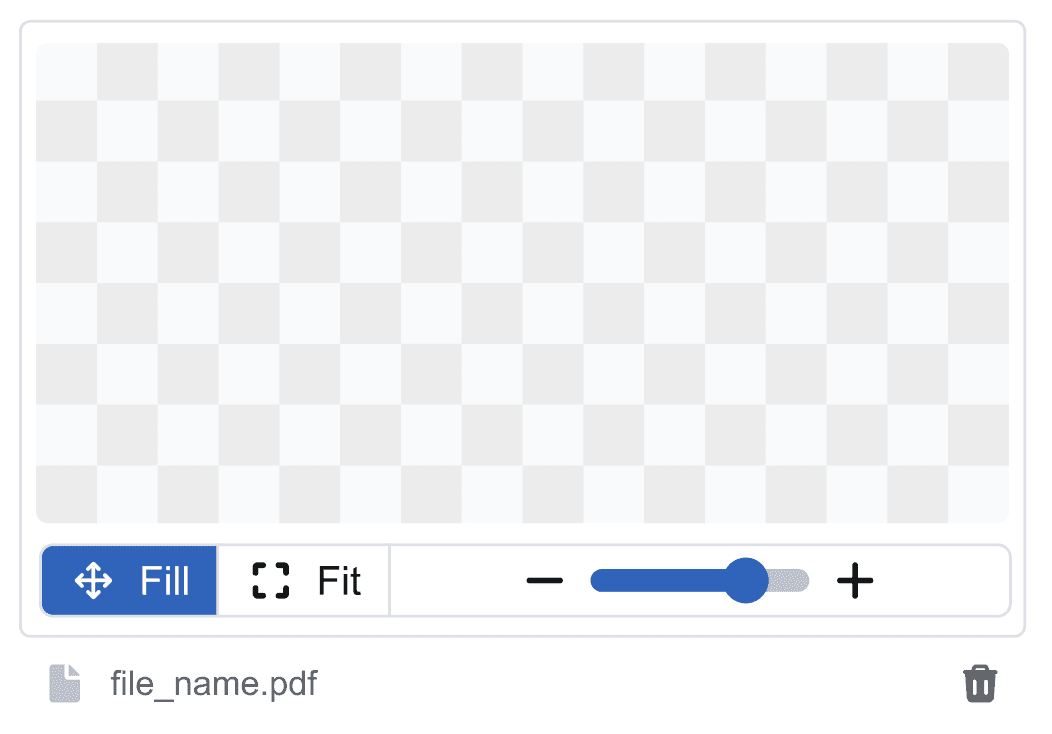
I advocated for fixed image frames with transparent backgrounds and fill/zoom controls. This gave us occasional grainy images, but consistent and responsive layouts.
Before
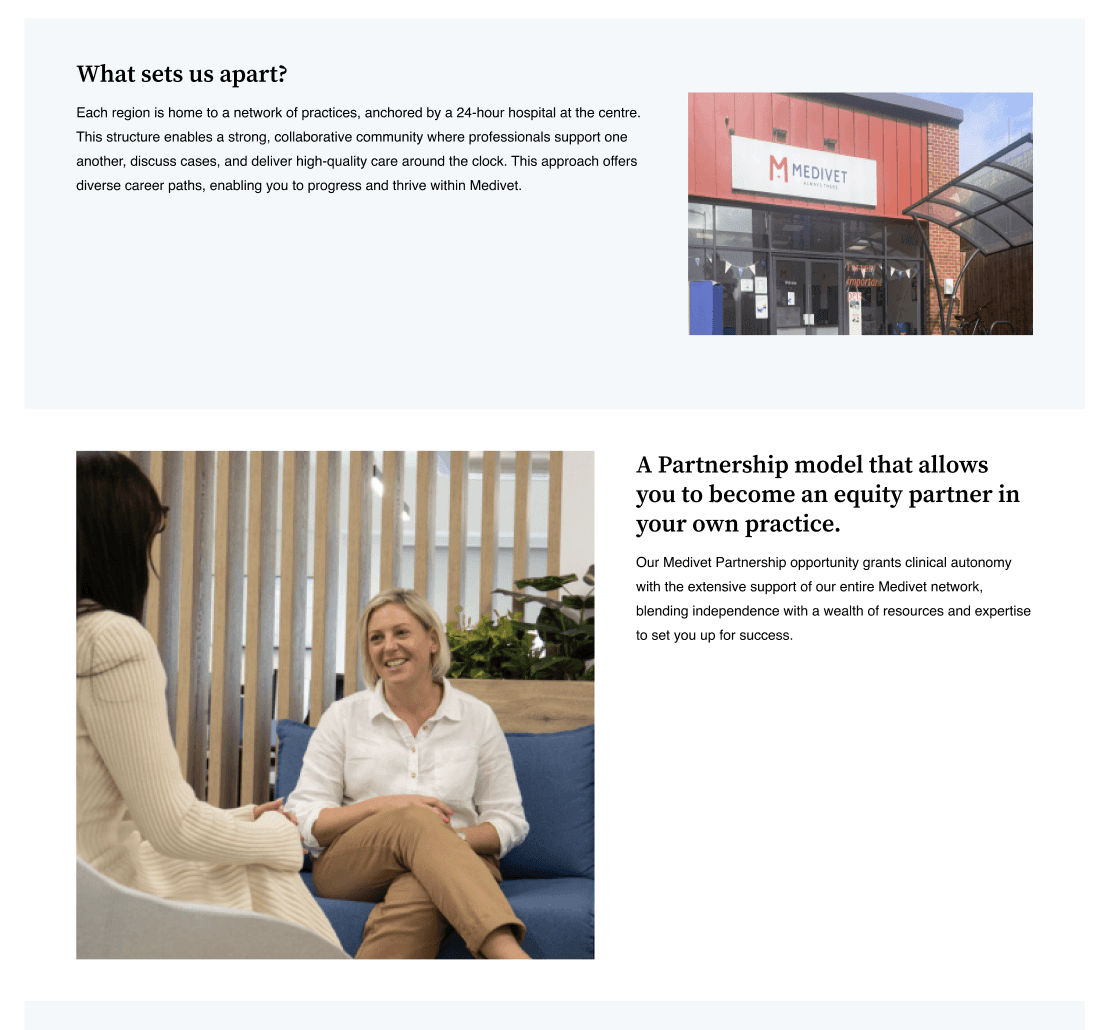
Native resolution with awkward layouts and poor responsive design
After
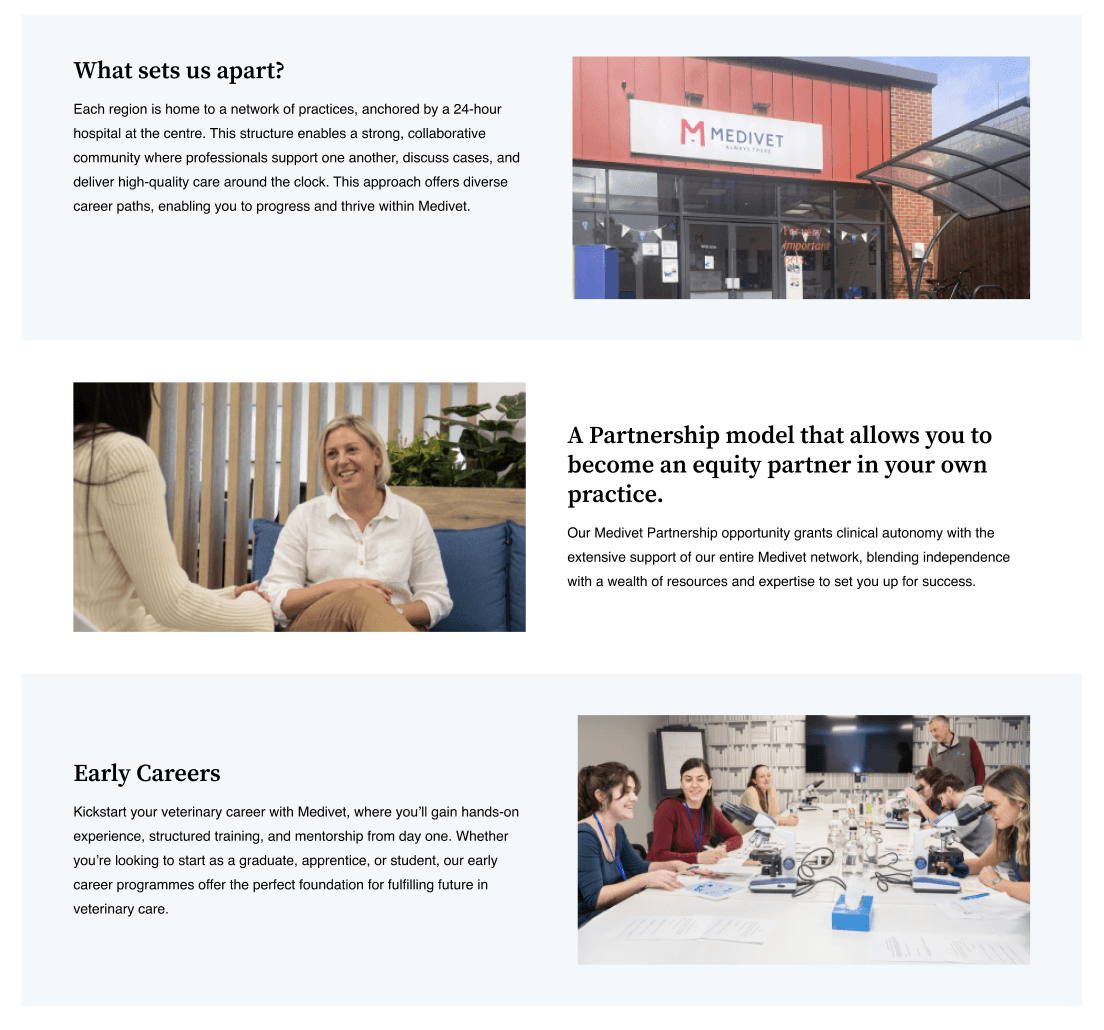
Filled frame approach with consistent section structure and reliable responsive design, at the cost of occasional grainy image
#2 - Padding control:
A client requested that we give them pixel-perfect padding control for every part of their sites. Our PM was willing to oblige their request and add this feature to the product.
This time I was able to push back and advocate for further investigation and an alternative approach.
Adding pixel padding control is another design decision we're asking non-designers to make. It puts us at risk of broken-looking sites.
What issue are our users really trying to solve?
What users want
Pixel perfect padding to manually control the spacing and layout of content on their sites.
"Pixel level control"
= Miss-matched padding and spacing, broken in appearance
What users need
A way to break up the large amounts of content they are presenting on their sites.
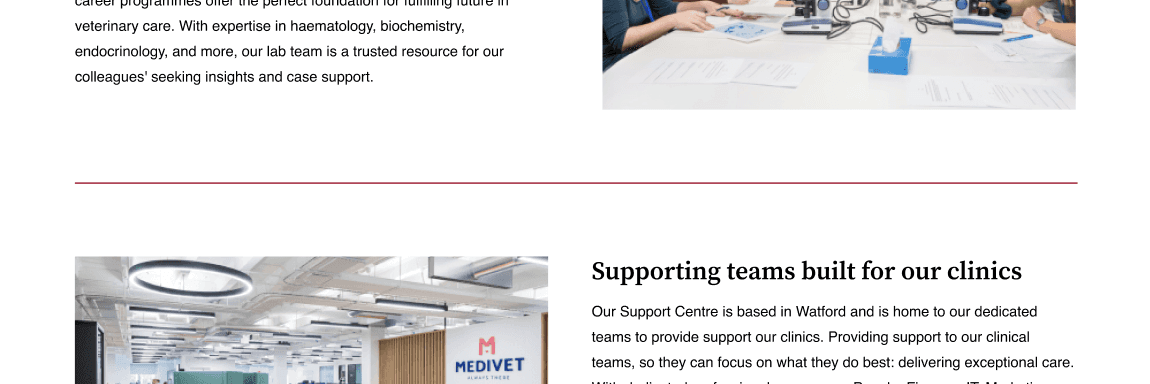
My simplified approach:
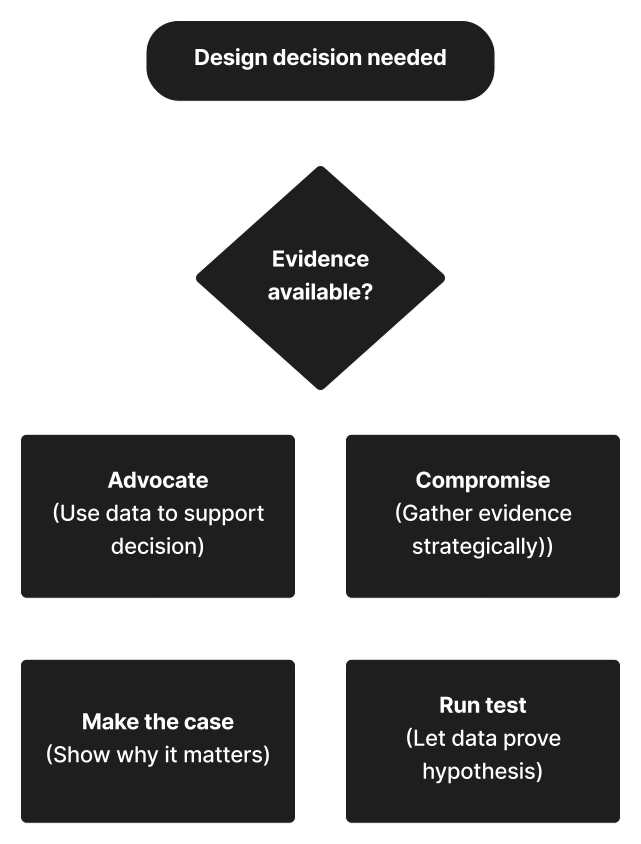
Choose what I advocate for carefully (with limited resource not every decision is worth pushing)
Nothing speaks louder than data-based evidence, use it wisely
Compromise and collaborate to gather evidence and build trust
Empathy for my team as well as my users. Ideas are rarely challenged without good reason
The End Product.
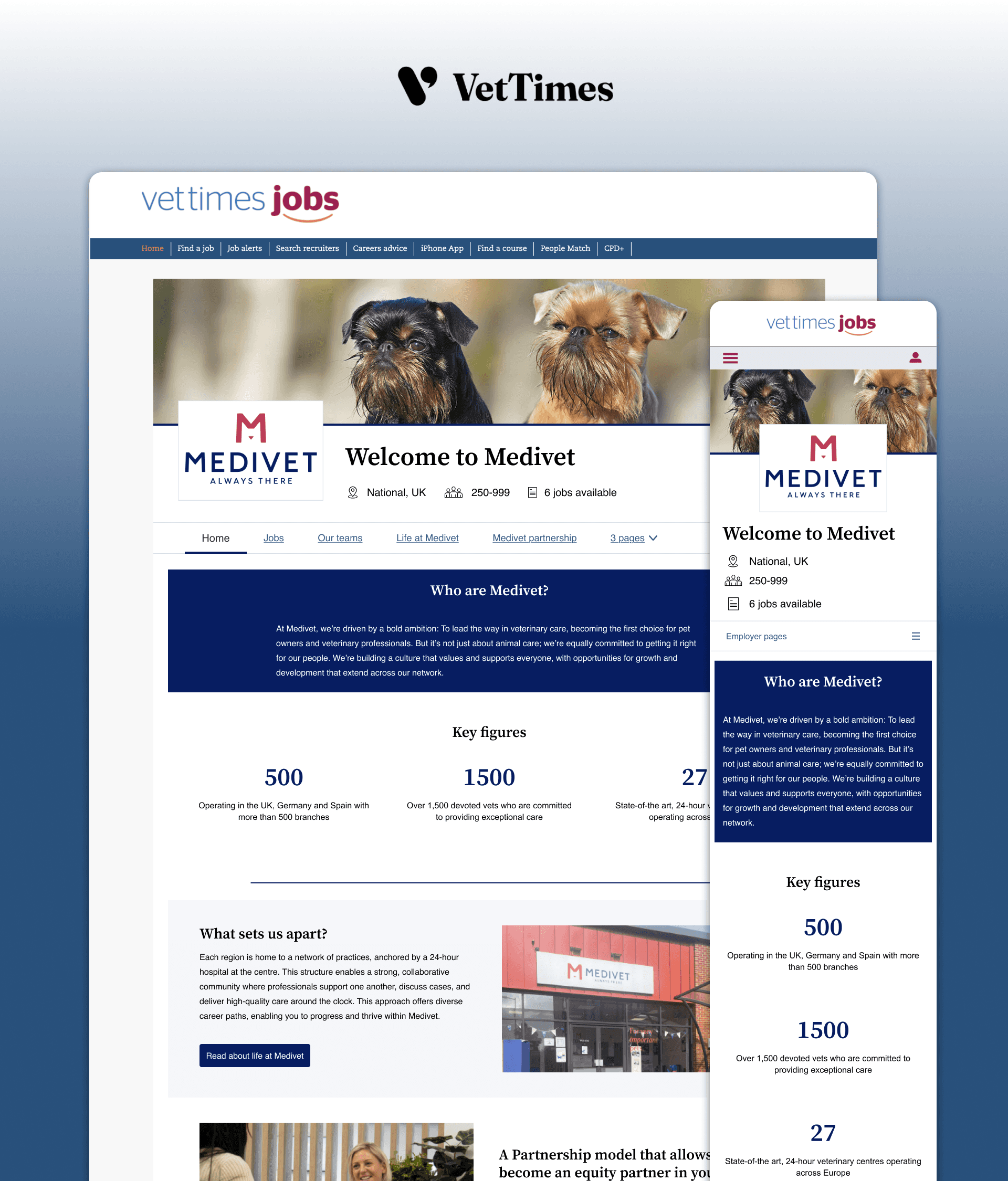
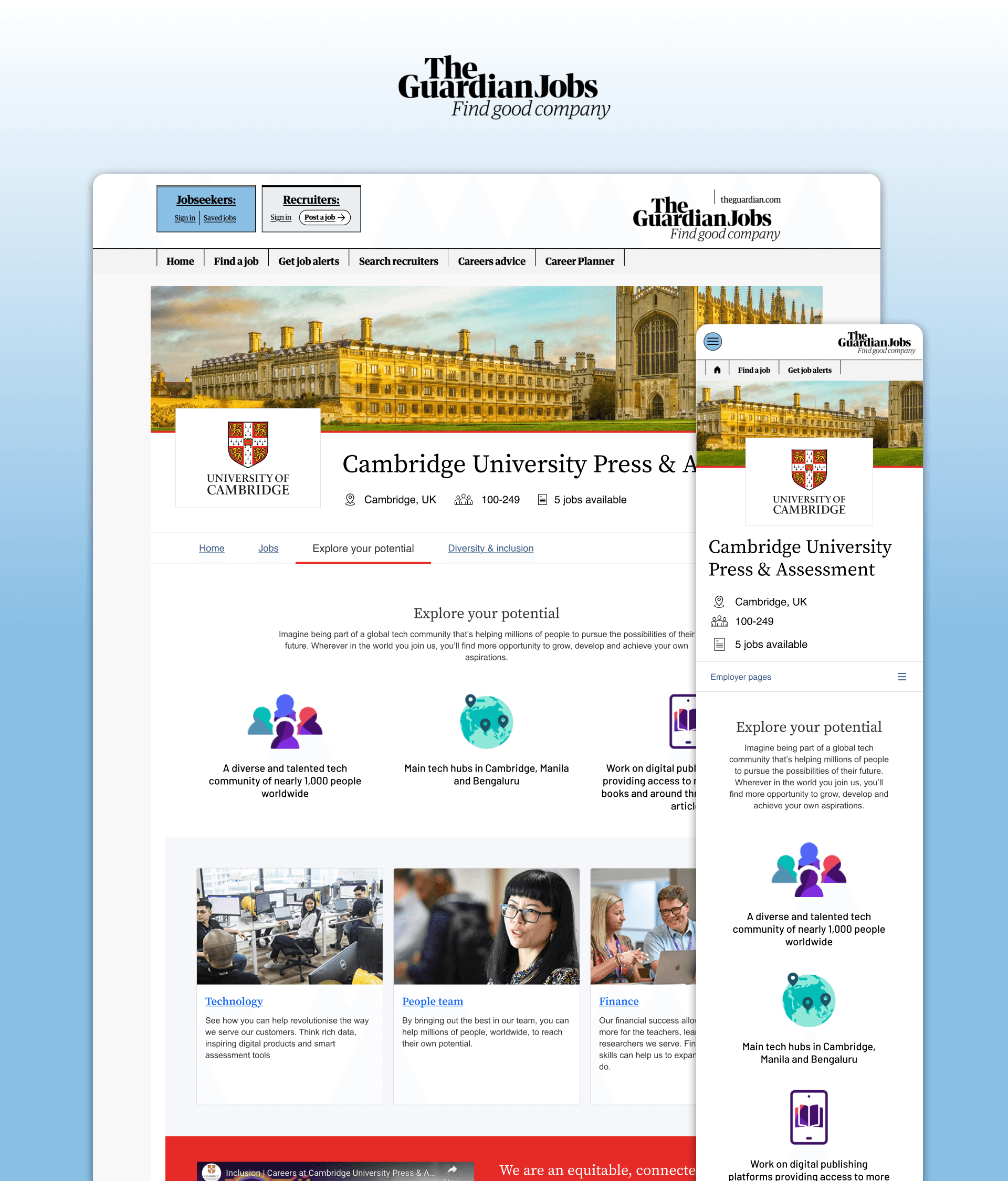
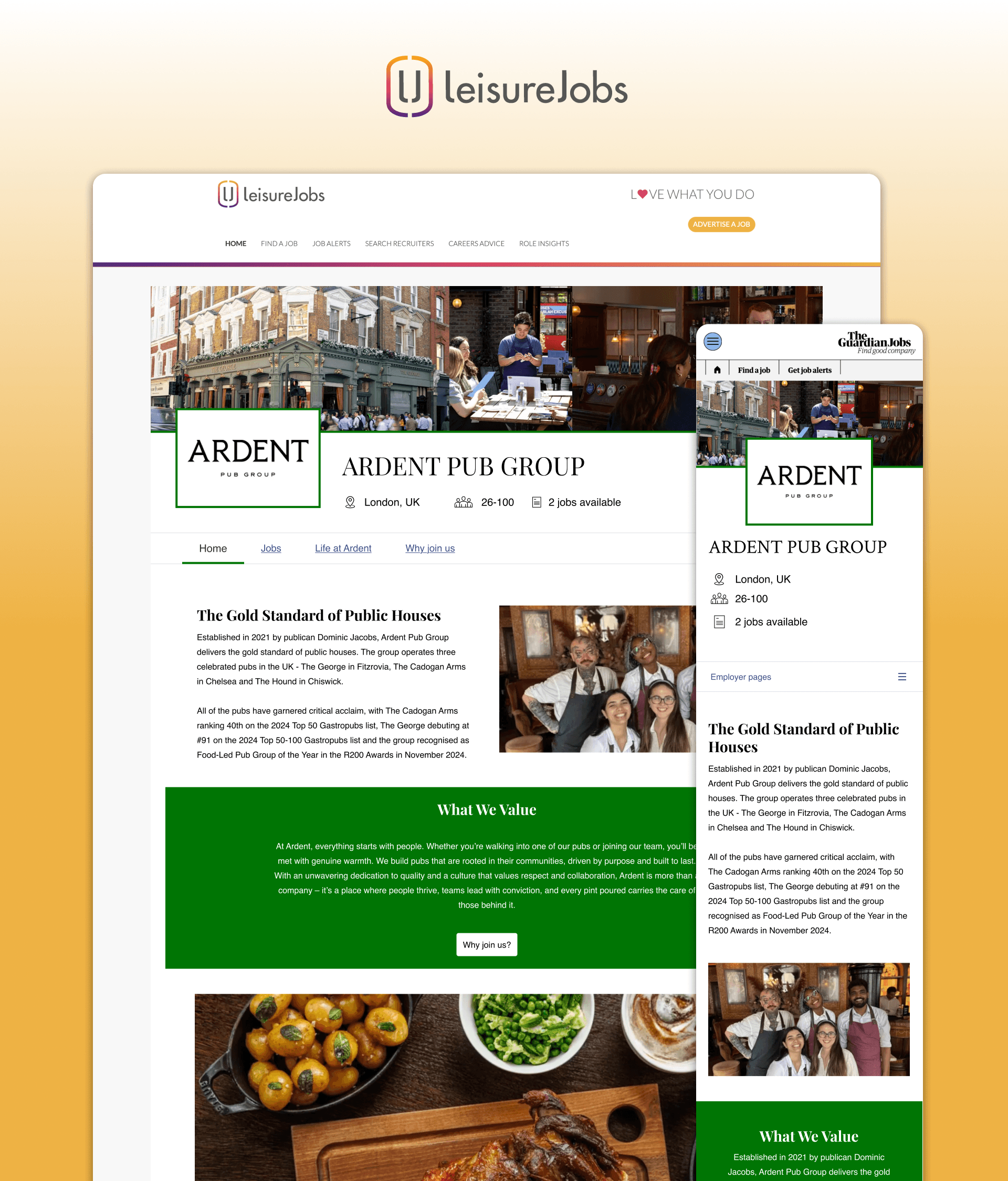
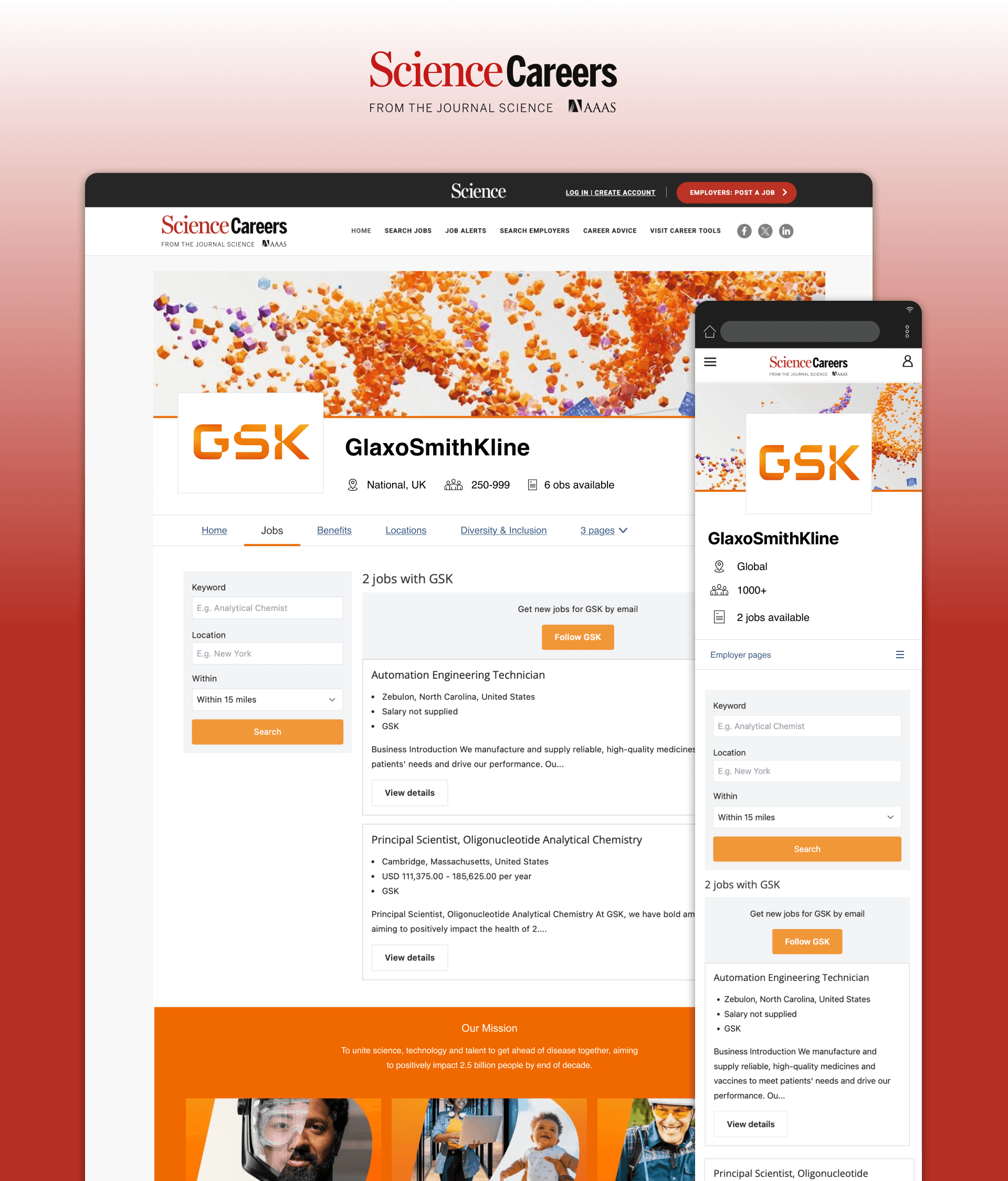
A page builder embedded in career center CMS that lets clients self publish custom-branded Employer hubs. These hubs can showcase company culture, values, and career opportunities - helping great employers stand out, and keeping job seekers within our ecosystem.
Key design principles:
Smart constraints over unlimited control: Pre-built components with limited customisation
Responsive by default: Layouts adapt automatically across devices
Accessibility guardrails: Brand colour prests, readable contrast, image ALT text, guaranteed compliance
No design knowledge required: Marketing teams and CSMs can build professional sites with ease
Scalable and adaptable CMS: A design system of menus and components that scale, across a variety of clients, whilst maintaining usability
1.
2.
3.
4.
5.
6.
The Impact.
2000+ hubs built
24% increased job applications
55 engaged clients
Internal work down 9 days
Product success:
2,000+ employer hubs built across 55 clients. Significantly better adoption than its predecessor
24% YoY increase in job application response rates for jobs advertised on employer hubs
Up to 80 hubs created by individual clients, showing a strong product-market fit, and ease of use at scale
9 work days saved per employer hub compared manual sites, built internally. A huge operational saving
Team impact:
My co-workers' confidence in my judgment, and product design generally, increased significantly after the beta testing round. I gained autonomy to make design decisions and low risk-assumptions. The hypothesis-and-test approach remains an important part of the process.
Client feedback:
Abbie Boyd
Operations Specialist @ Pharmiweb
"I have very limited knowledge when it comes to coding... it's all easy enough to use. It makes sense and it's very user-friendly."
Kevin Kirchmyer
Sales Operations Specialist @ Science Careers
"The difference between the two is night and day. It's a lot easier on employer hub."
Personal impact:
This project cemented my position as a Senior Designer. Learning to navigate organisational bias and vocal clients significantly improved my ability to negotiate design decisions against business and resource constraints.
What I learned.
Strategic compromise builds more trust than being right: I could have pushed harder against color customization from the start. If I had the confidence I had today, I may have done. But the beta approach built my credibility through shared evidence and my own confidence in the design process. The team saw the problems themselves, not just heard me predict them. This created lasting trust that served the entire project.
Evidence-based design isn't just about users—it's about organisations: Senior design means understanding that being right isn't enough. We need to bring people along. Sometimes that means compromising to gather evidence, even when you're confident in the answer. The rollback was painful, but it taught the team a lesson that benefited every subsequent decision.
What I'd do differently: If this were now with 3,000+ sites, the rollback would be impossible. I'd push harder upfront, using the color control story as existing evidence. Past projects become leverage for future decisions.
Get in touch
Let's work together to build something great




Get in touch to talk processes, product ideas or opportunities. I'm always looking to grow my network, so please say hi