0 1 - I N T R O
Employer hubs - Building team trust through strategic compromise and beta testing

02 - Quick Stats
1,000+
7% to 18%
Job application rate improvement
55
Clients actively using the product
9 days
of development work saved per hub
03 - The Problem
Inheriting the evolution of a failed product
For job seekers
Branded employer hubs embedded within career centre sites showcasing company culture, values, and career opportunities. The goal to give job seekers the context they need to apply without leaving the platform.
For clients
A self-service page builder in the CMS. Clients assemble hubs from content sections including text, images, and branded containers, which they self publish to their career centre. No developer or design resource required.
04 — Research Insights
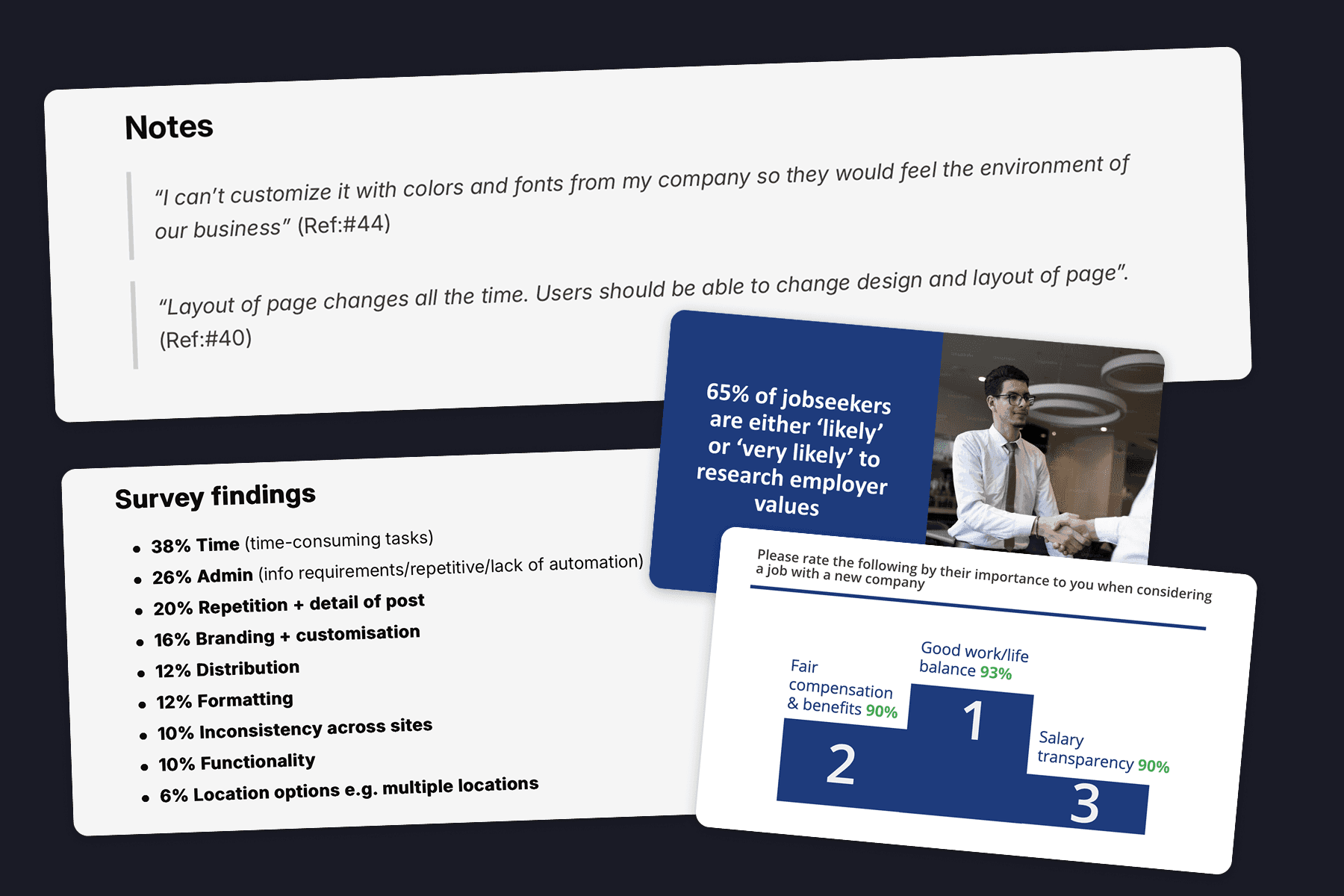
Jobseekers wanted employer culture, values and qualitative insight
Explorative interviews revealed that jobseekers were increasingly prioritising the values and culture of the employers they were applying to work for. Detailed employer branding sites (hubs) could provide the answers to meet this need
Clients wanted design freedom they weren't trained for
Through research with clients, marketing teams, CSMs and site owners, I found the tension that defined the project. Clients wanted full creative control of the employer hubs they were building, but lacked the expertise to use it well. Only 1 in 6 understood basic accessibility.
What clients wanted
Unlimited structural control
Freeform colour options
Pixel-perfect customisation.
Designs that match employer's career site exactly
What clients needed
Smart constraints
Accessibility guardrails
Design-vetted templates
Forgiving, responsive layouts
Research evidence
05 — Critical decisions
Using beta testing to support my approach
The PM wanted full colour customisation across the product and the developers had reusable code ready to go. I was new to this team, and pushing against more user control sounded like repeating the mistake that killed v1.
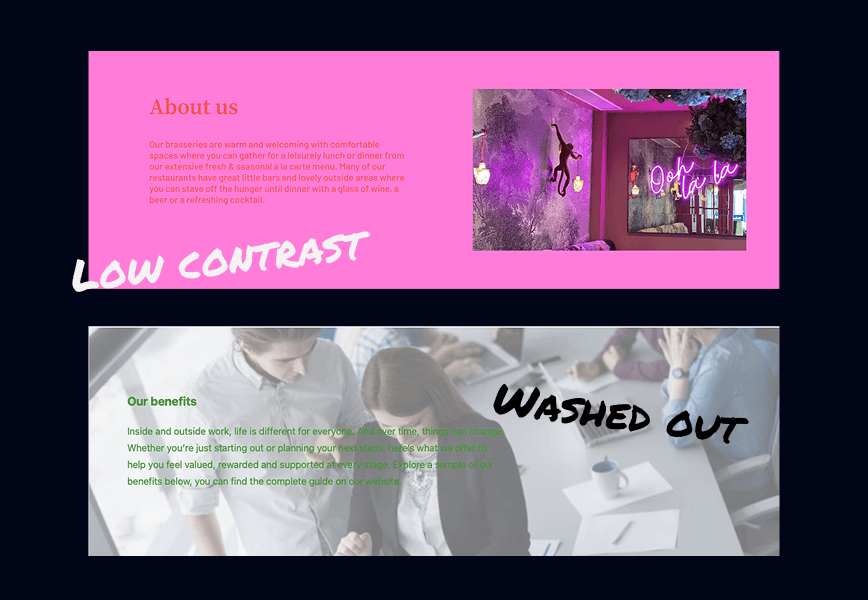
My compromise: Limit colour customisation to one section, test with beta users, and measure the outcome. Across six users over one month, five of six created inaccessible sites with the tool we offered.
The evidence proved our users needed controlled guidance.
Beta results (Before)
Final design (After)
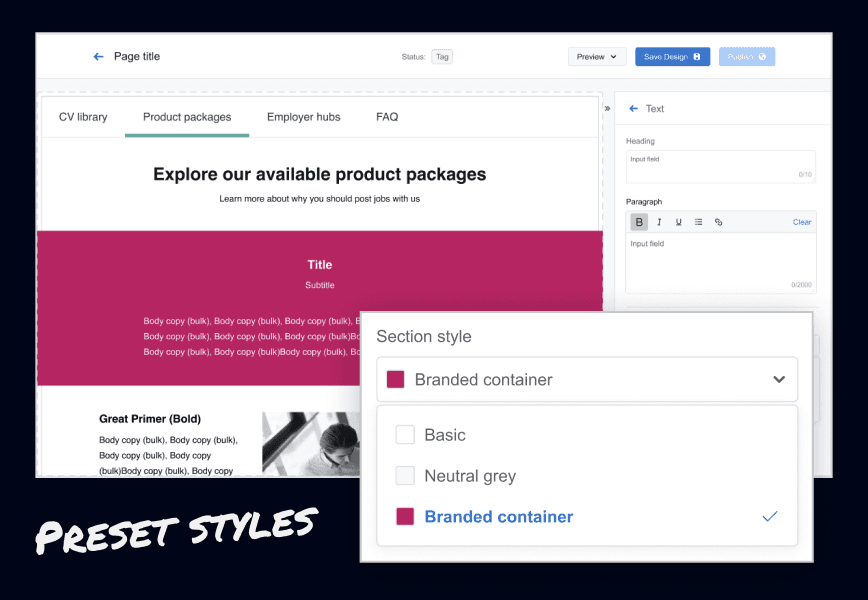
My alternative: Section Styles. Three preset text and background combinations built from design system brand tokens, all WCAG 4.5:1 compliant.
Plain white, neutral grey, and a branded container.
Users still got visual variety across their hub, but every option was accessible by default. Simple choices, professional outcomes.
The outcome
Rolling back the beta required a late-night maintenance session to republish all sites with defaults. This would be very difficult now at 1,000+ live hubs. But it built lasting trust in my design judgment, and Section Styles became the standard across the platform.
06 — Design Approach
Scaling the controlled approach across the product
Advocate > Compromise > Gather evidence> Earn trust.
Fixed frames instead of native
The team wanted to use native resolution for image uploads, it was the easiest way to implement the feature. Based on my research I was concerned about our users' lack of understanding on appropriate image resolution.
I advocated for fixed image frames with transparent backgrounds and fill/zoom controls. Accepting occasional grainy images for consistent and responsive layouts.
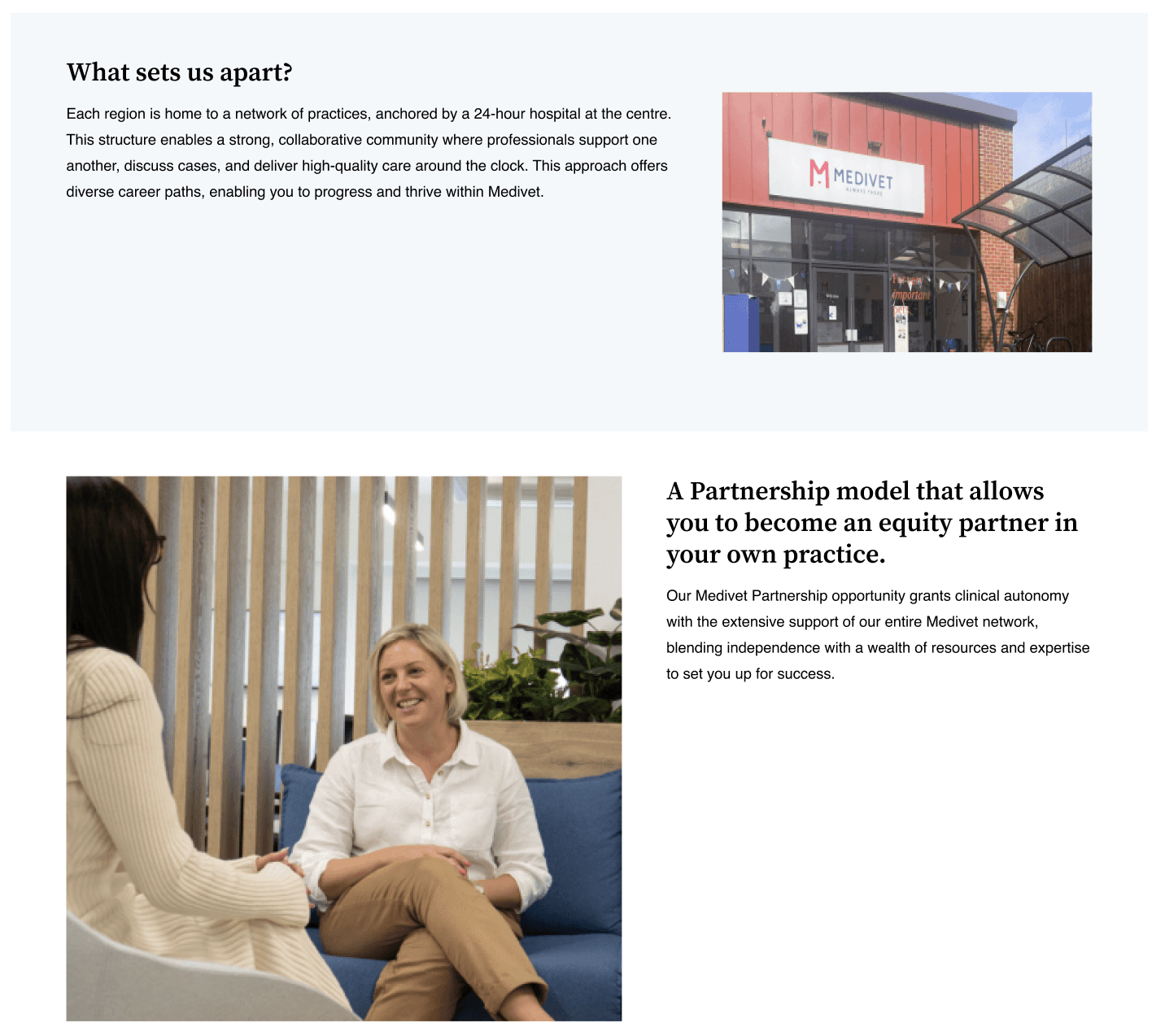
Native resolution (Before)
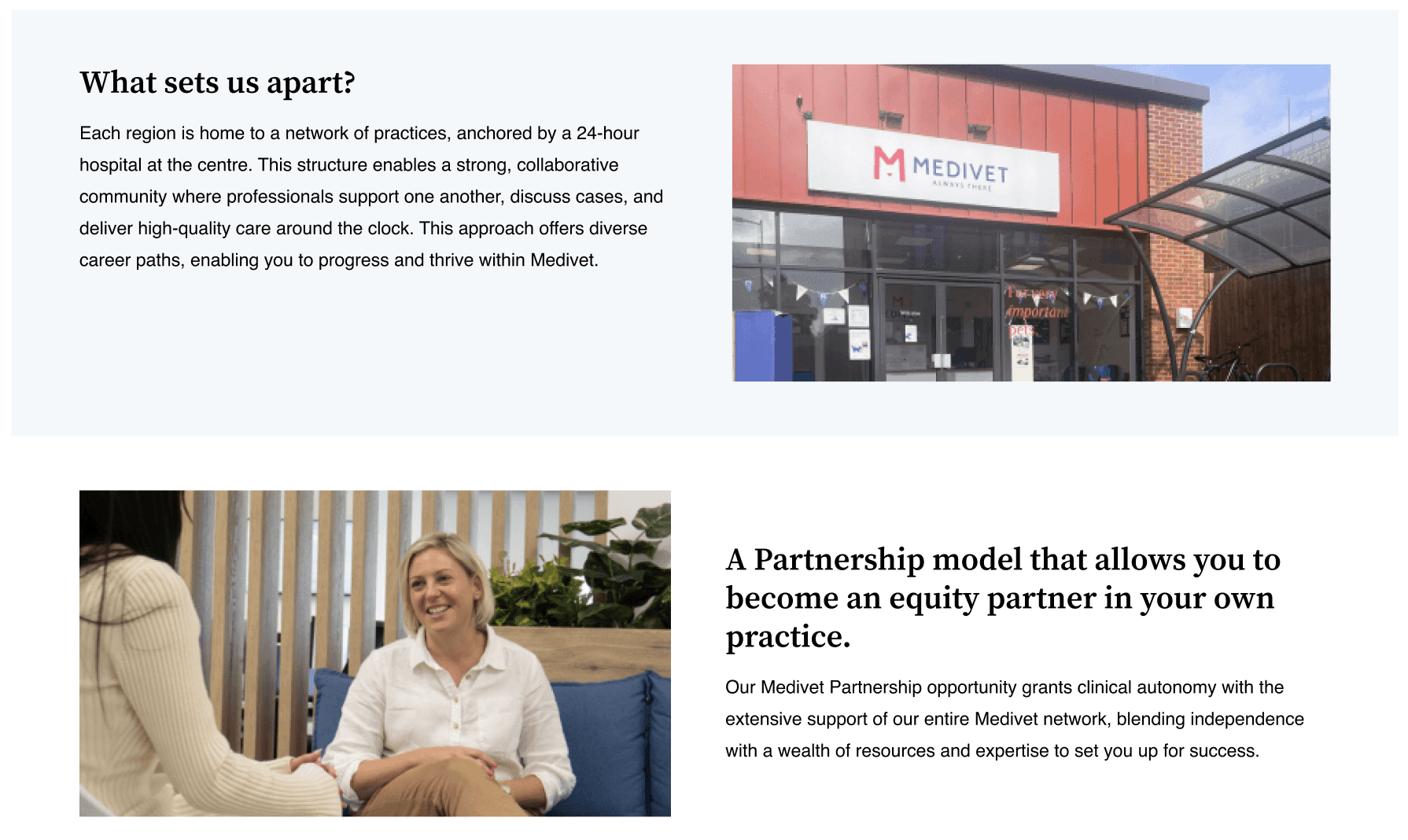
Fixed frame (After)
Page dividers over padding control
A client requested that we give them pixel-perfect padding control for every part of their site.
This time I was able to push back and advocate for further investigation and an alternative approach.
The client was having difficulty organising long text content. So instead we provided drop in page dividers.
Choosing consistency over freedom
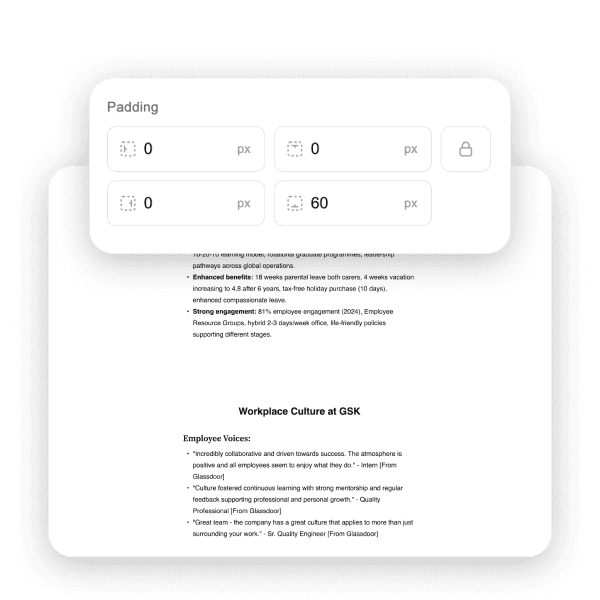
Padding controls (Before)
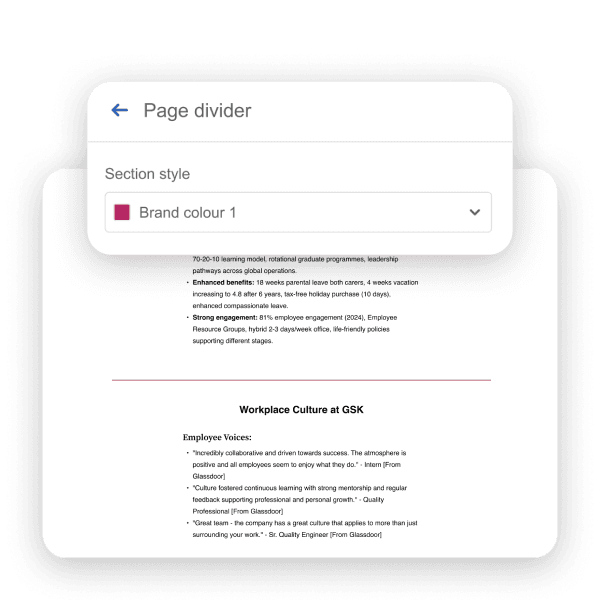
Page dividers (After)
07 — User Testing
Building team engagement with team-wide user testing
I invited the entire sprint team to observe user-testing and take part in an insights and solutions workshop.
The team found it highly rewarding to see their hard work performing well with users and had plenty of great insights, and ideas to improve the product.
We tested with 6 users of varying design experience
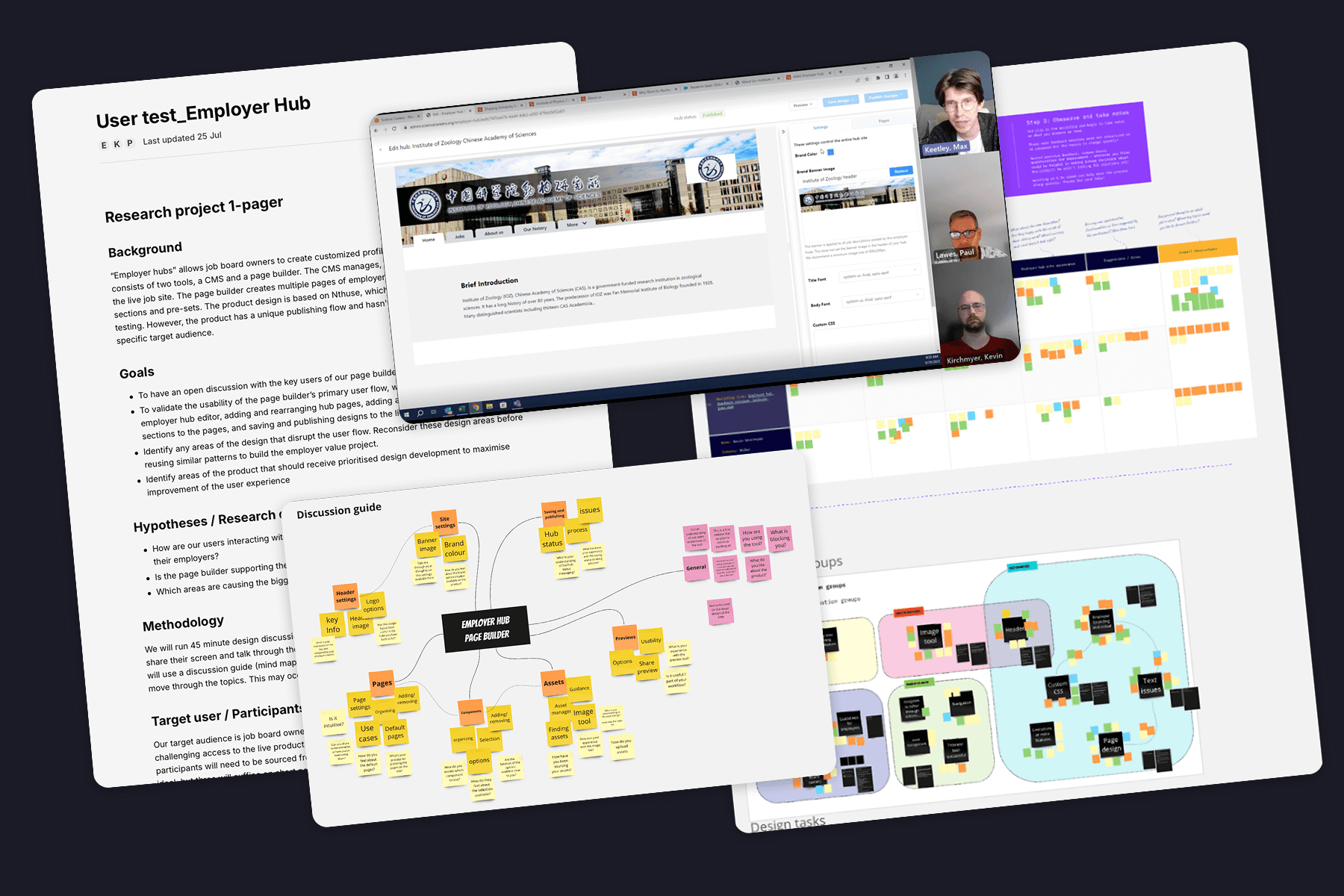
Research evidence
Positives
Improvements made
08 - The Outcome
1,000+ live hubs
Employer hubs built across 55 clients. Significantly better adoption than its predecessor
From 7% to 18% response rate
More than double the application response rates for jobs advertised on employer hubs
80+ hubs created by individuals
Showing a strong product-market fit, and ease of use at scale
9 work days saved per hub
When compared to the manual sites requirement, built internally. A huge operational saving
"It's all easy enough to use. It makes sense and it's very user-friendly."
Abbie Boyd, Operations Specialist, Pharmiweb
"The difference between the two is night and day. It's a lot easier on employer hub."
Kevin Kirchmyer, Sales Operations, Science Careers
The final product
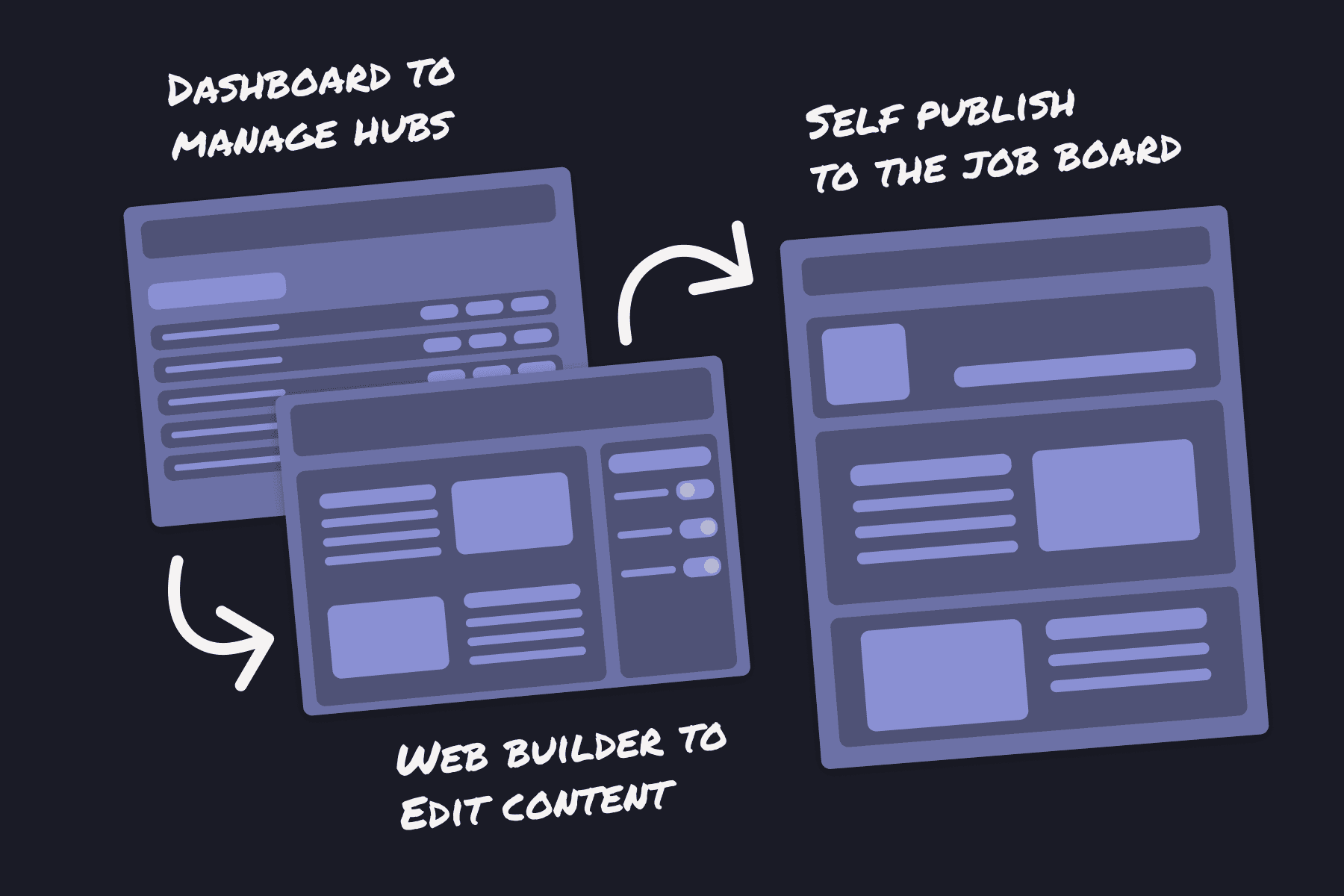
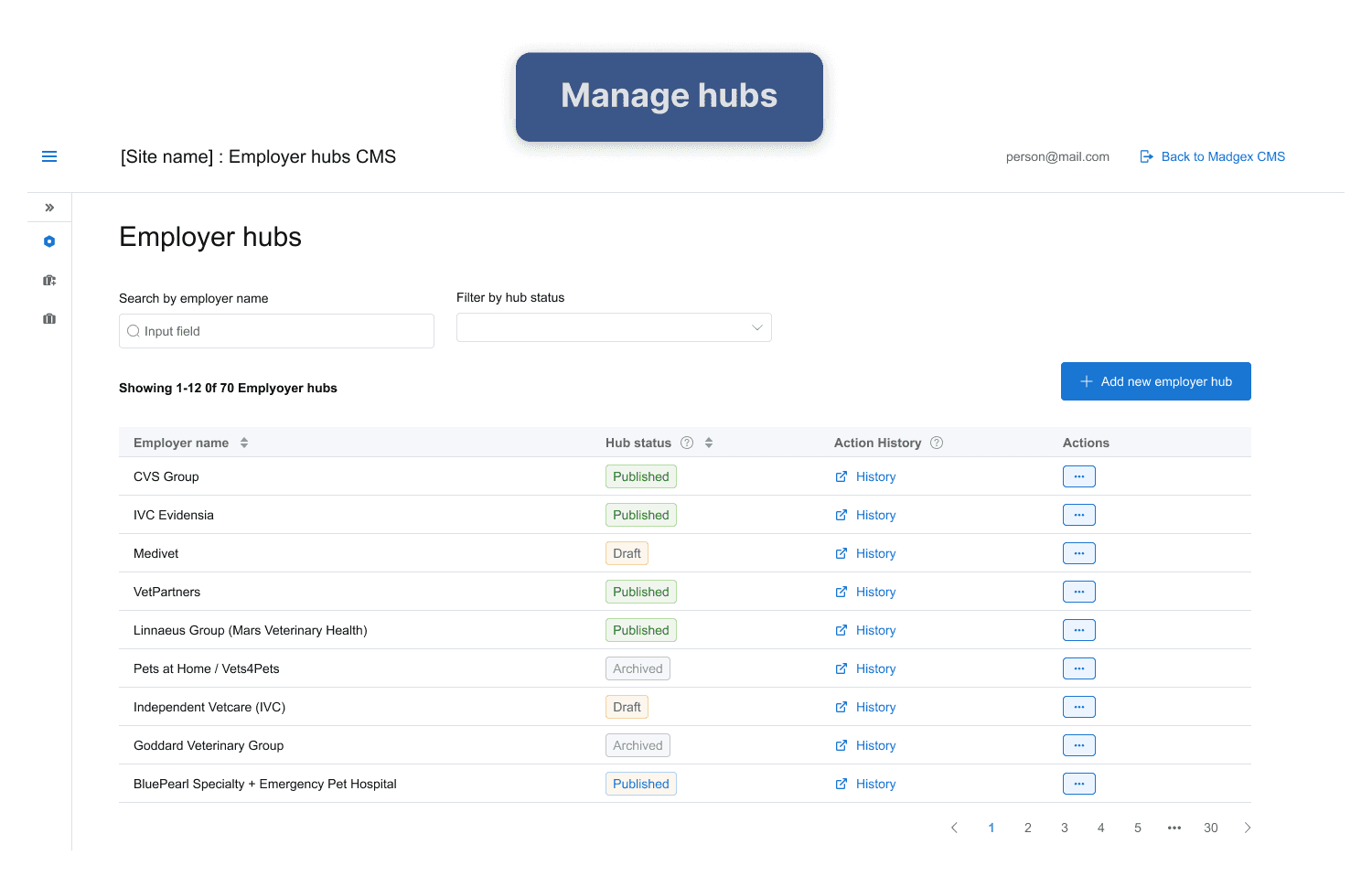
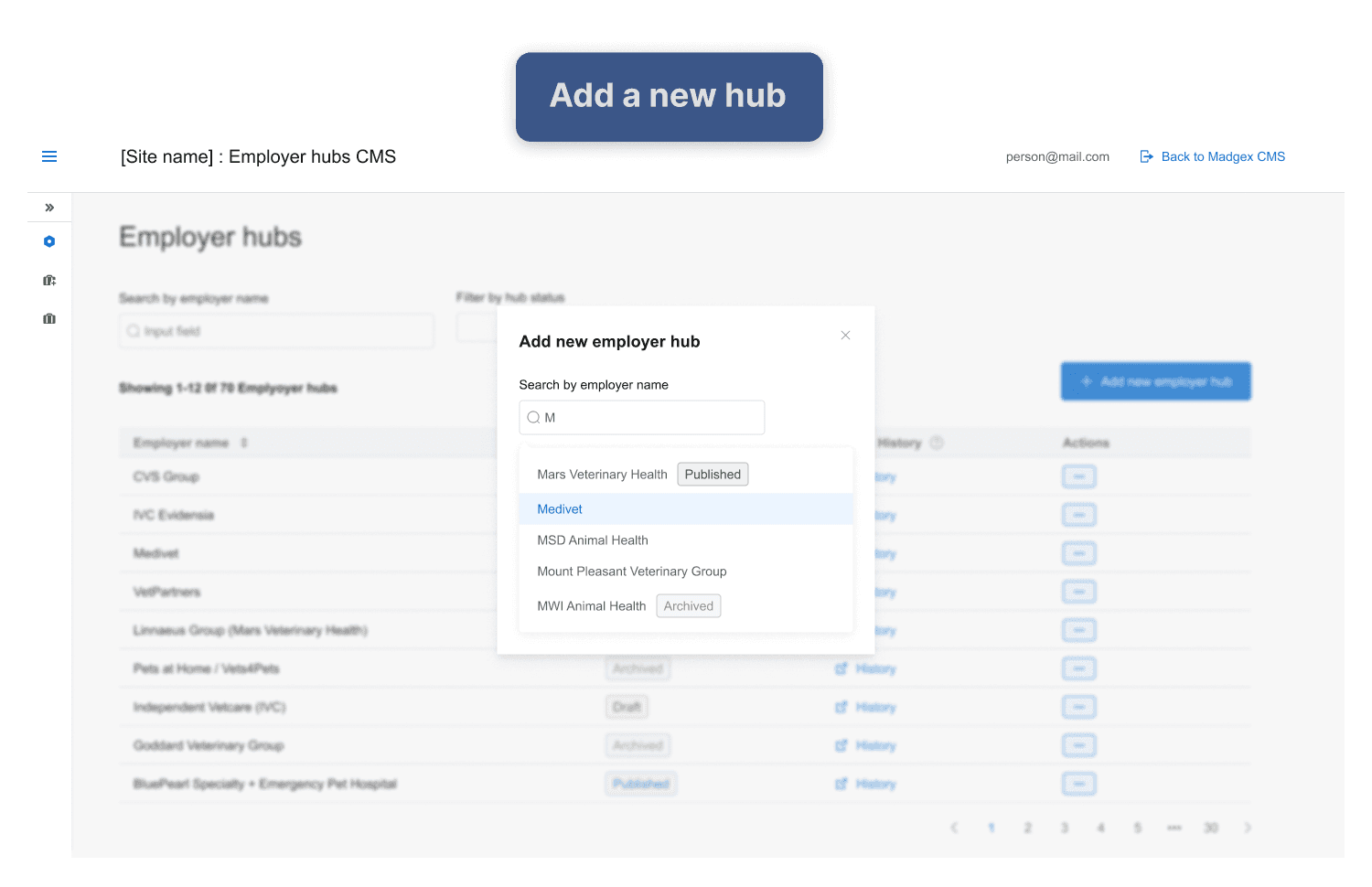
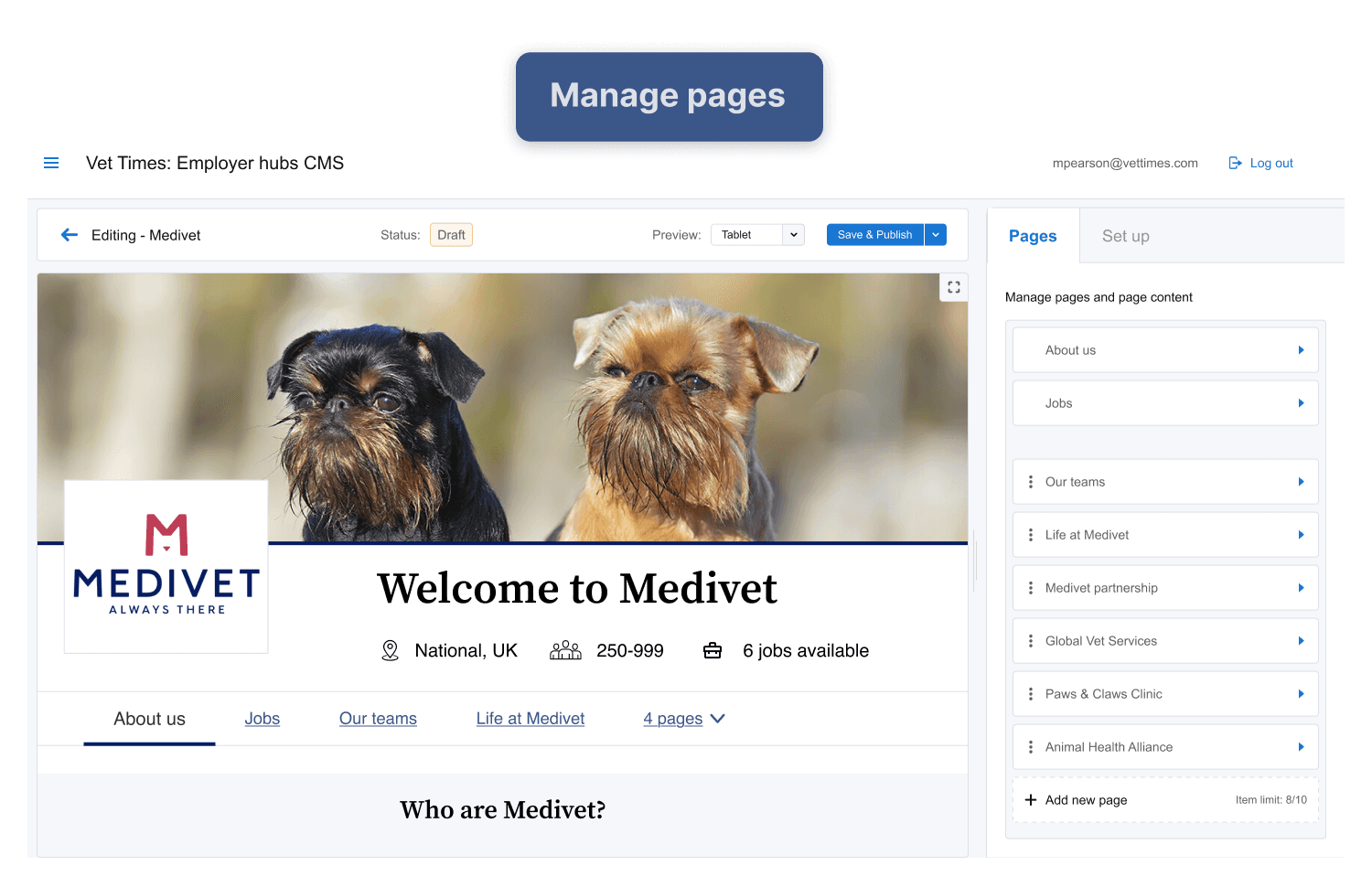
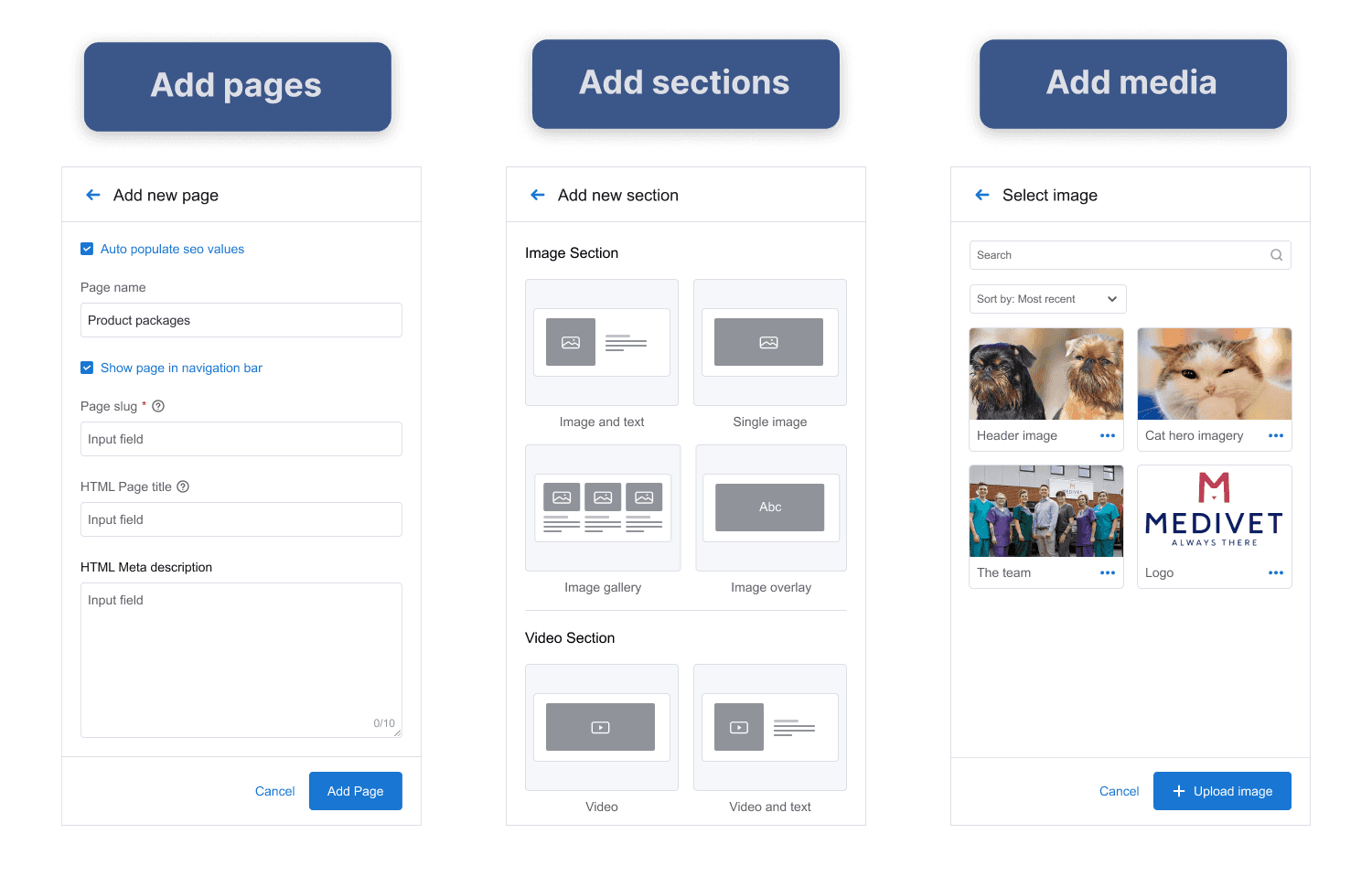
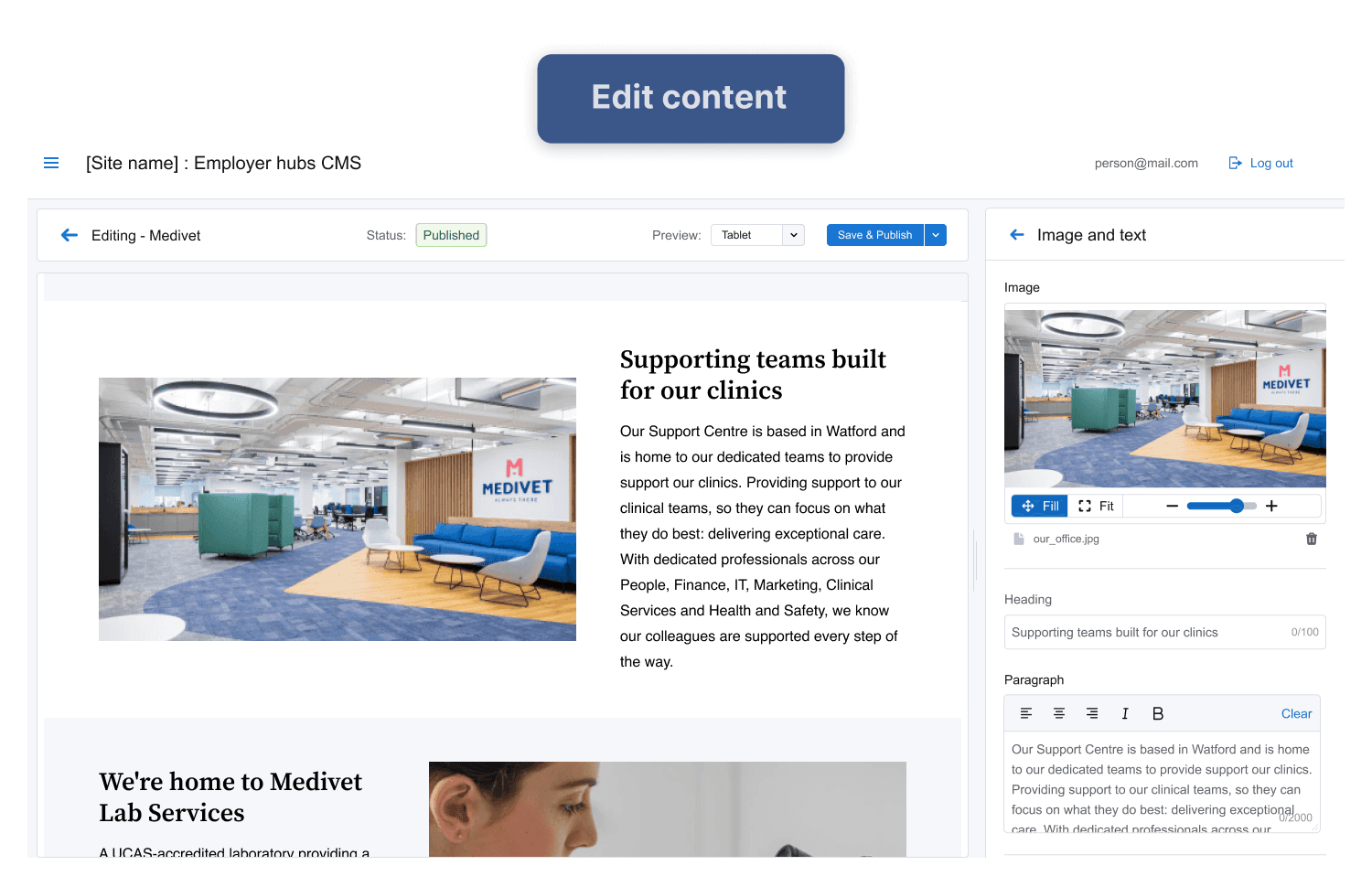
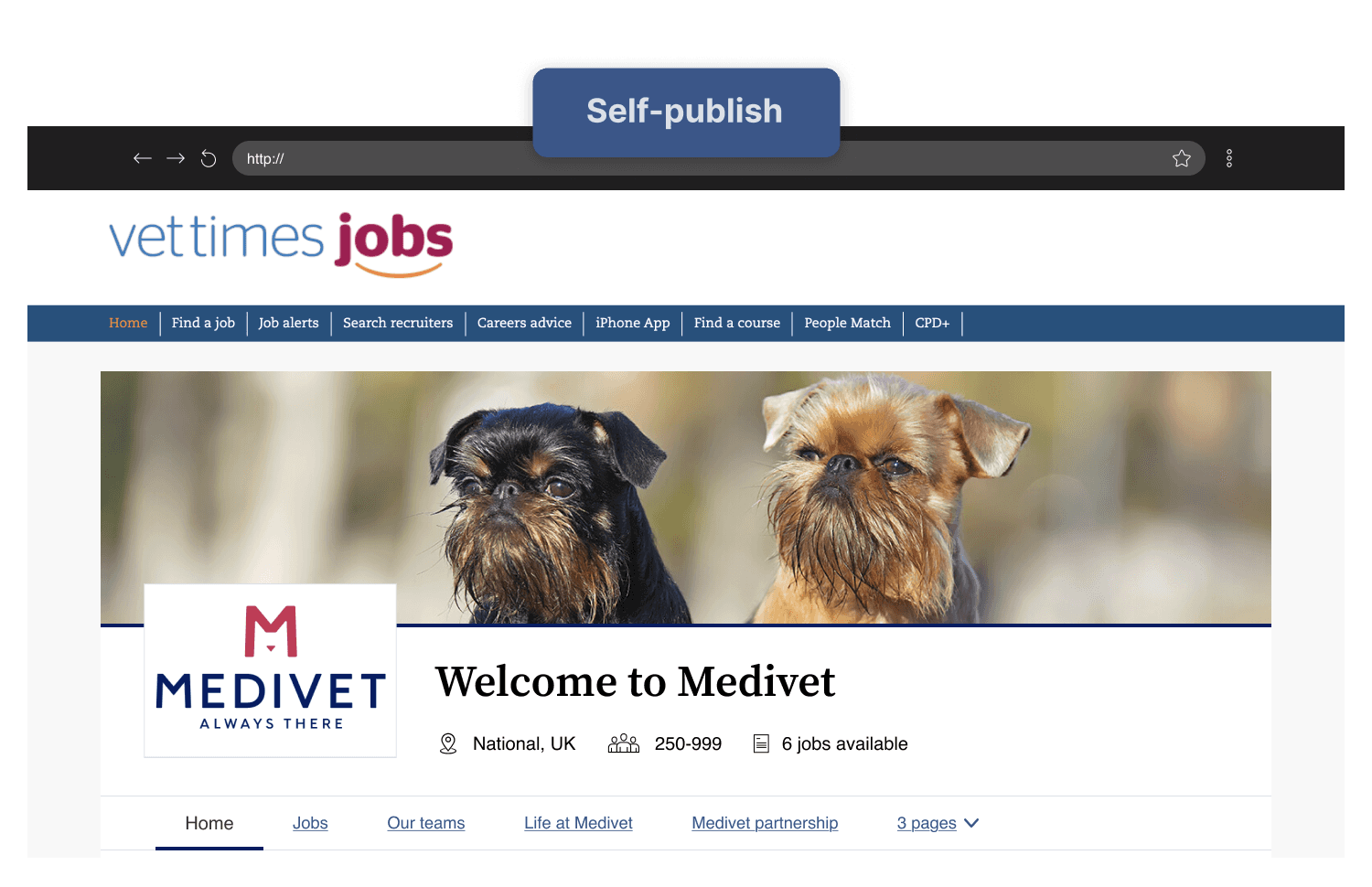
Manage hubs on a dashboard, edit pages, design content in an editor, preview in browser, publish directly to the live site.
Smart constraints over unlimited control
Pre-built components with limited customisation
Responsive by default
Layouts adapt automatically across devices
Accessibility guardrails
Brand colour presets, readable contrast, image ALT text, guaranteed compliance
No design knowledge required
Marketing teams and CSMs can build professional sites with ease
Scalable and adaptable CMS
A design system of menus and components that scale, across a variety of clients, whilst maintaining usability
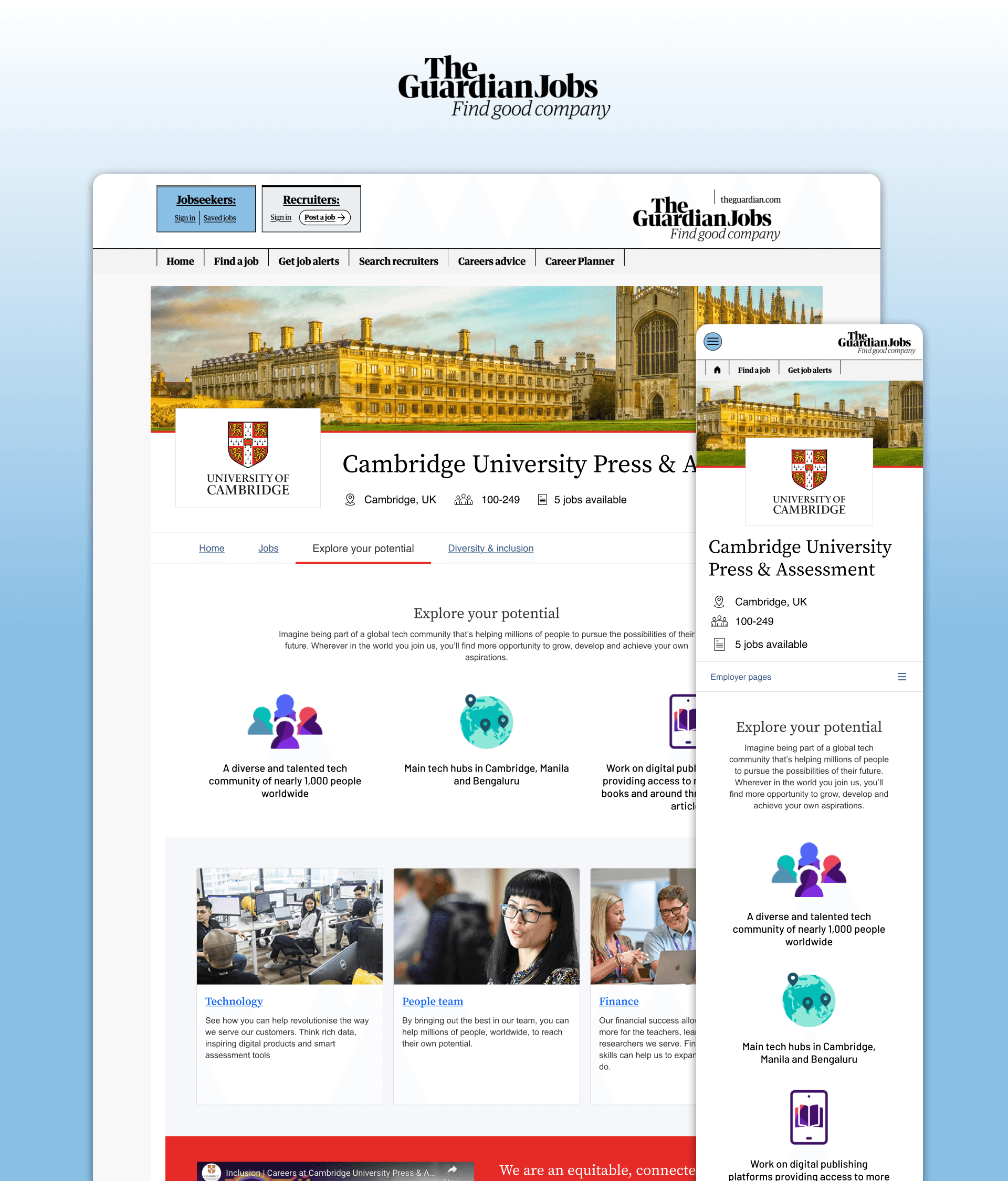
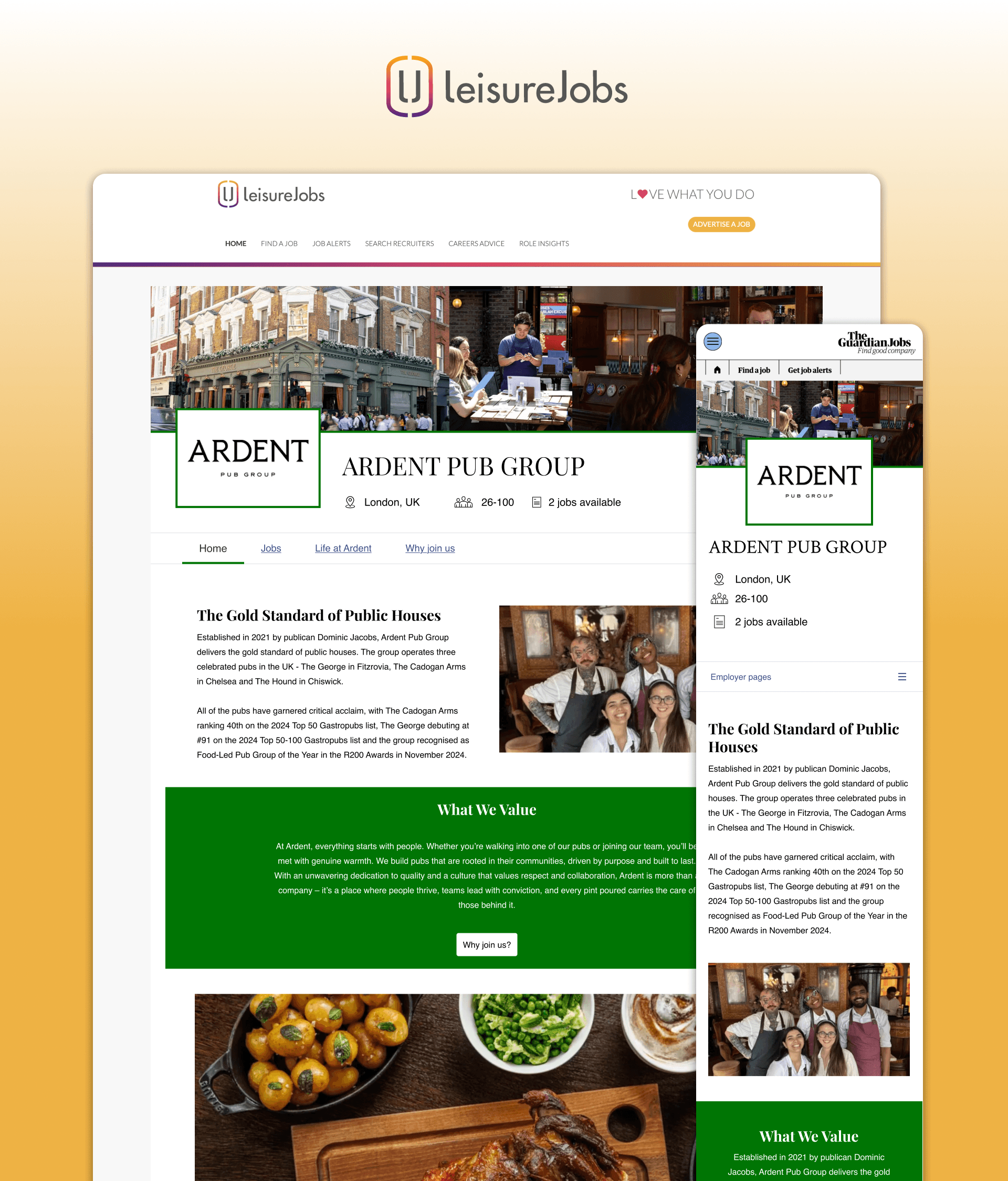
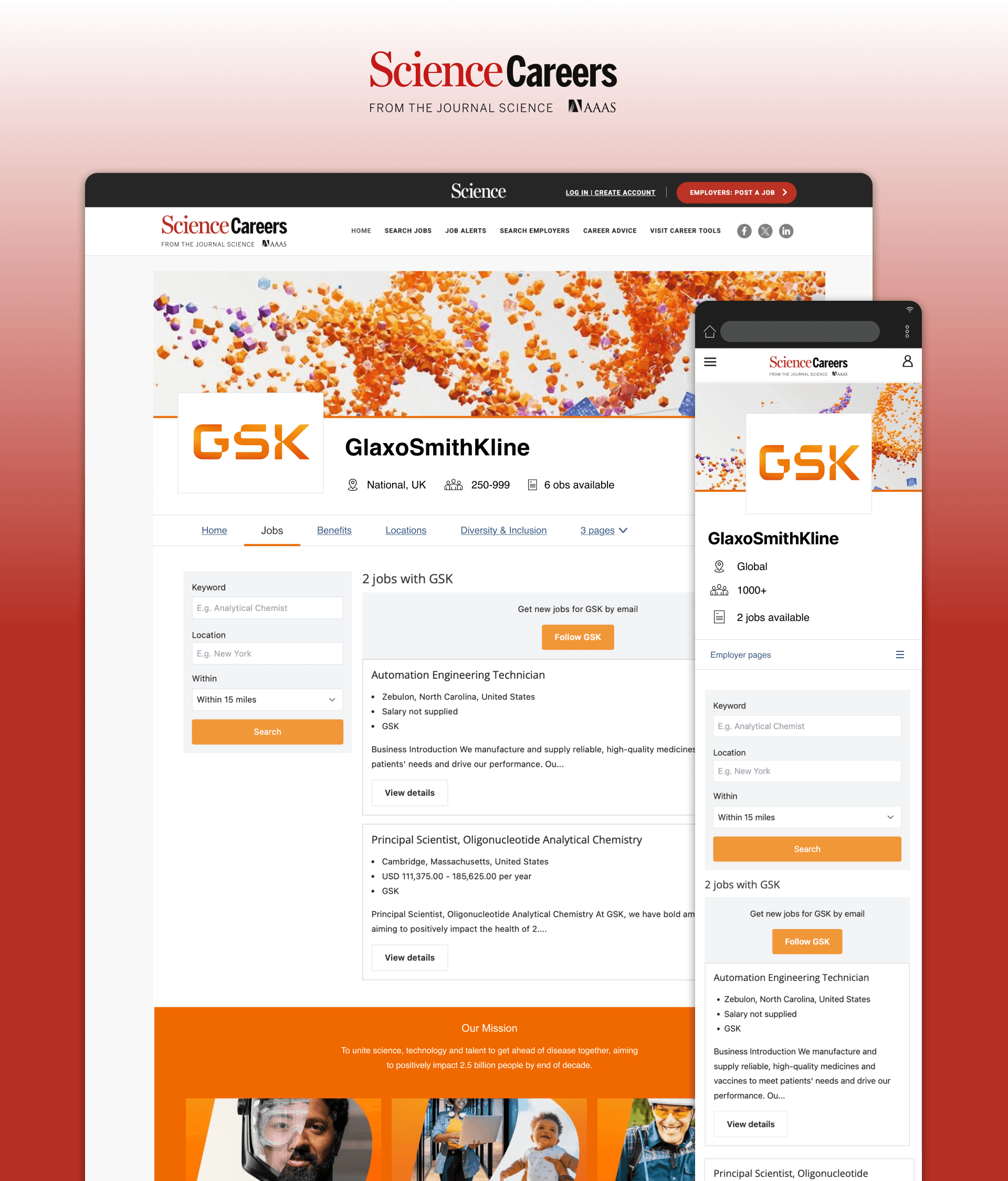
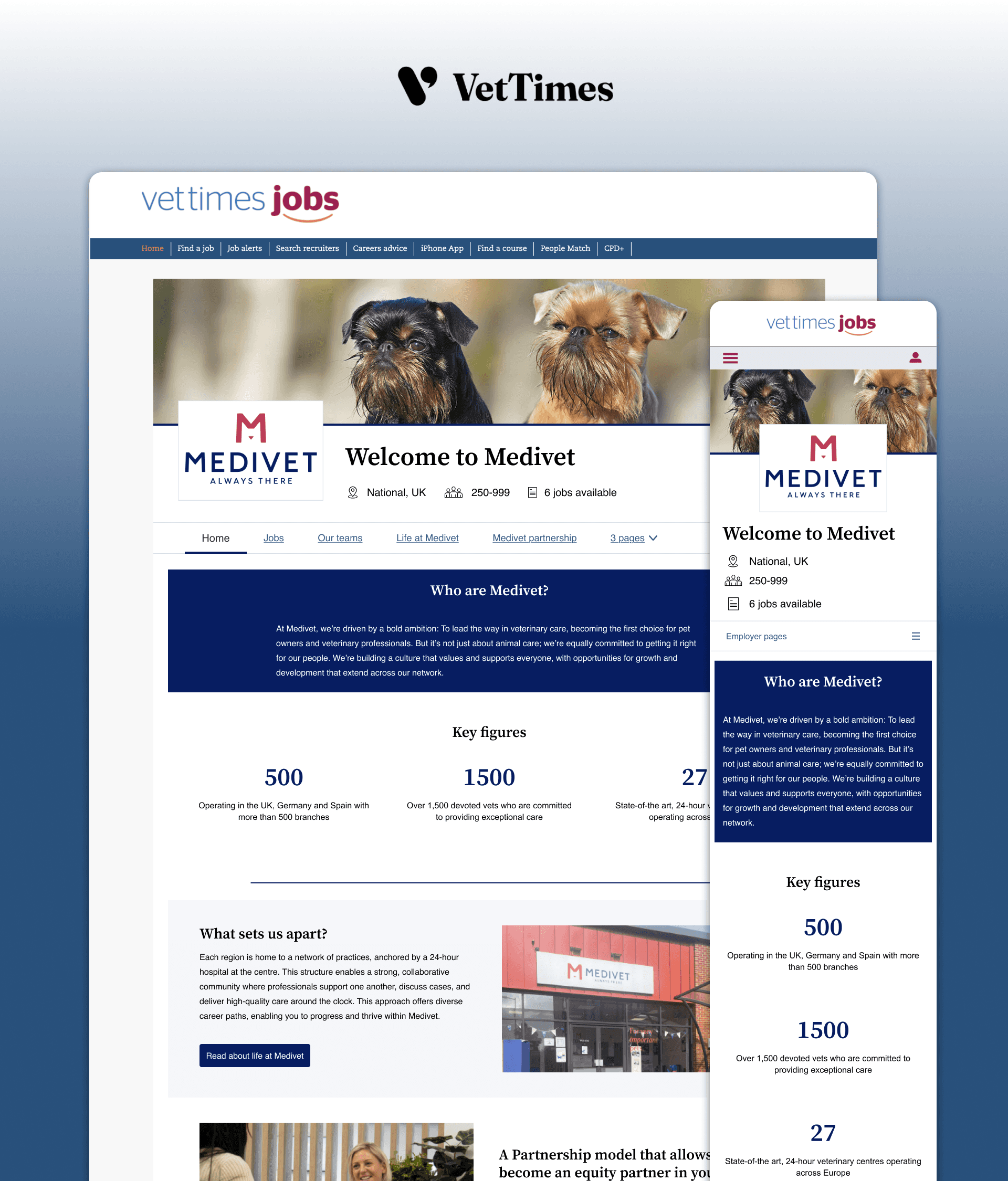
The employer hubs
Employer branded mini sites, published across a range of job boards
09 — On Reflection
What I learned
Testing builds credibility
If I had the confidence I had today, I may have pushed harder against colour customisation. But the beta approach built my credibility through shared evidence and my own confidence in the design process. The team saw the problems themselves, not just heard me predict them. This created lasting trust that served the entire project.
Beta feedback is noisy
Opening up a beta generates a lot of input, but users' prescribed solutions aren't always the real need. Two beta users asked us to extend colour control further, which would have made the problem worse. I'll always question whether feedback fits the design ethos before acting on it. Our job is to solve the underlying need, not implement the suggested fix.
What's next?
The biggest barrier that remains is the workload required of small teams to set up many of these sites themselves. The next step is to examine how we can assist our users in creating employer hubs at pace.
I am currenlt exploring AI employer profiles. Using an LLM to scrape data from verified sources (such as the employers career site) and use it to produce a standardised employer profile. This has been successful in text-only documentation. The next step is to collaborate with developers to intergrate this process with the employer hubs tooling.