0 1 - I N T R O
VoiceCraft - Self-publishing an AI app to scale my expertise across the business
02 - Quick Stats
5× effective copy
2 days to build
From concept to live product
3 teams adoption
Design, Product, Marketing
50+ hrs saved
Over 12 tasks offloaded this quarter
03 - The Problem
Good writing shouldn't be a bottleneck
I've spent years building my own UX writing practice. Developing tools, presenting at UX Camp Brighton, embedding it into my design process. But I was the only person on the team doing it. Every CTA, error message, and email subject line that needed care had to pass through me.
The skill wasn't scaling. When I was busy or unavailable, copy went out untested and inconsistent. The team wanted to write better copy but they didn't have the frameworks or confidence to do it alone
The solution had two parts:
The manual toolkit
Clarifying chat cheatsheet, microcopy canvas, and copy refinement checklist. All tools I'd built and shared via my UX Camp Brighton talks.
Wiley Voicecraft
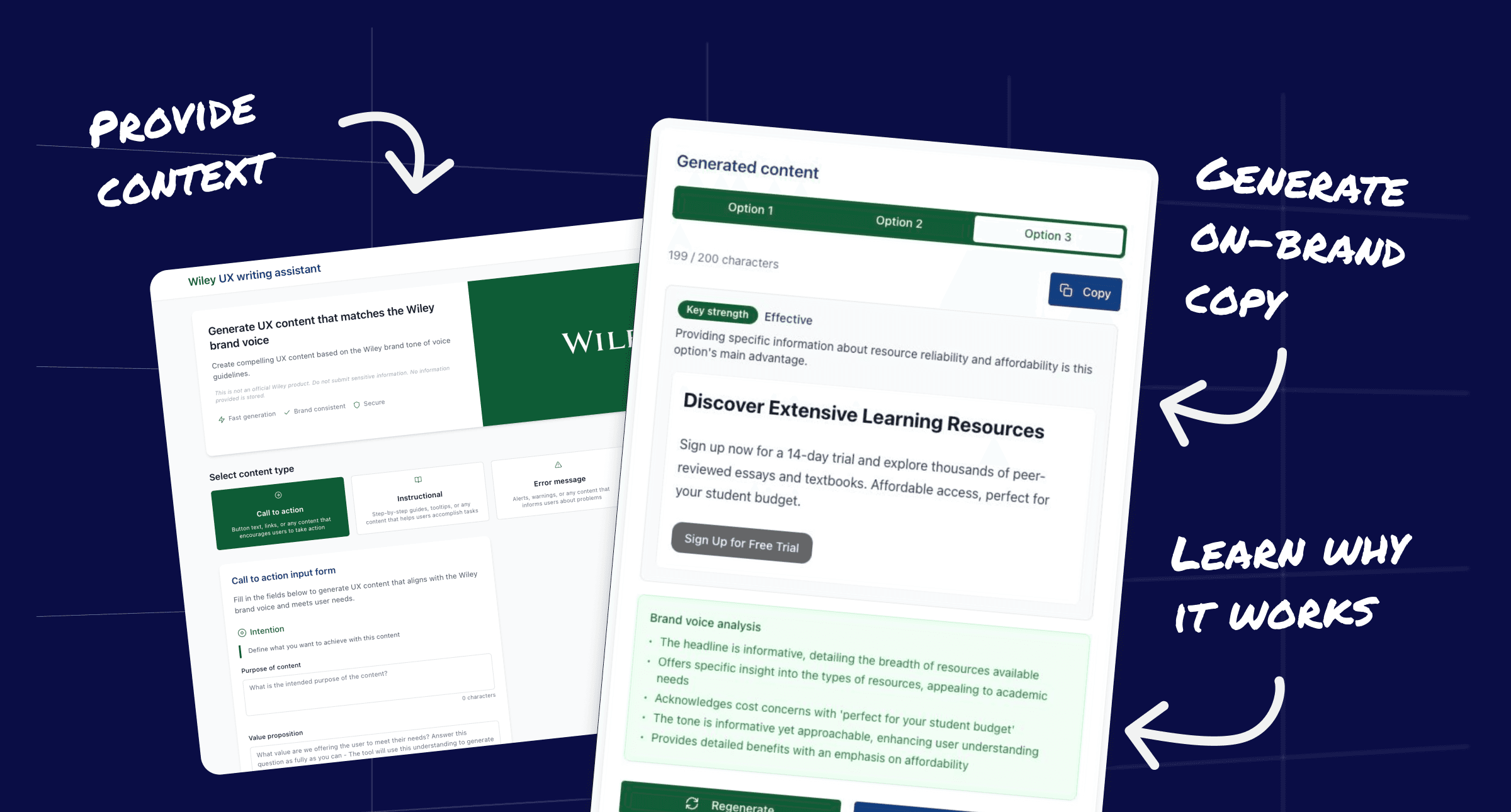
An AI-powered web app that packages my writing process, Wiley's brand voice, and UX writing best practices into a self-serve tool.
04 — Research Insights
The team didn't need more frameworks, they needed help understanding what makes good copy great
I audited copy across our products and emails and the patterns were consistent. Vague CTAs, error messages that blamed the user, subject lines that described content instead of communicating value. The team wasn't careless — they were working without a framework for making writing decisions.
Insight 1
Guidelines don't get used
I'd shared UX writing resources, hosted talks, published cheatsheets. Adoption was low. People engaged in the moment but didn't change their day-to-day process. Static guidelines needed an active interface.
Insight 2
Confidence, not just competence
Colleagues knew their copy wasn't great but didn't trust themselves to improve it. They needed a tool that explained its reasoning — teaching the principles as it generated the output.
Insight 3
Brand voice was implicit, not documented
Wiley's tone of voice existed in scattered documents. Nobody could articulate it consistently. The AI needed explicit training on our voice with priorities, personality, and guardrails.
Insight 4
Context matters
A CTA on a job alert email is fundamentally different from a CTA on a pricing page. Generic AI writing tools ignored this. The tool needed structured inputs such as content type, audience and goals to generate anything useful.
05 — Critical decisions
Building it myself in two days
Instead of writing a brief and waiting for engineering capacity, I chose to vibe-code the entire application. In a couple of days, I crafted a simple design, refined the prompts, built the frontend with Replit and deployed it. Our dev team was fully capable of this, but I felt that fastest way to validate the idea was to ship it.
The real design work wasn't the UI. It was training the model. I spent the bulk of those two days on prompt engineering.
I codified Wiley's brand voice into structured parameters on markdown files.
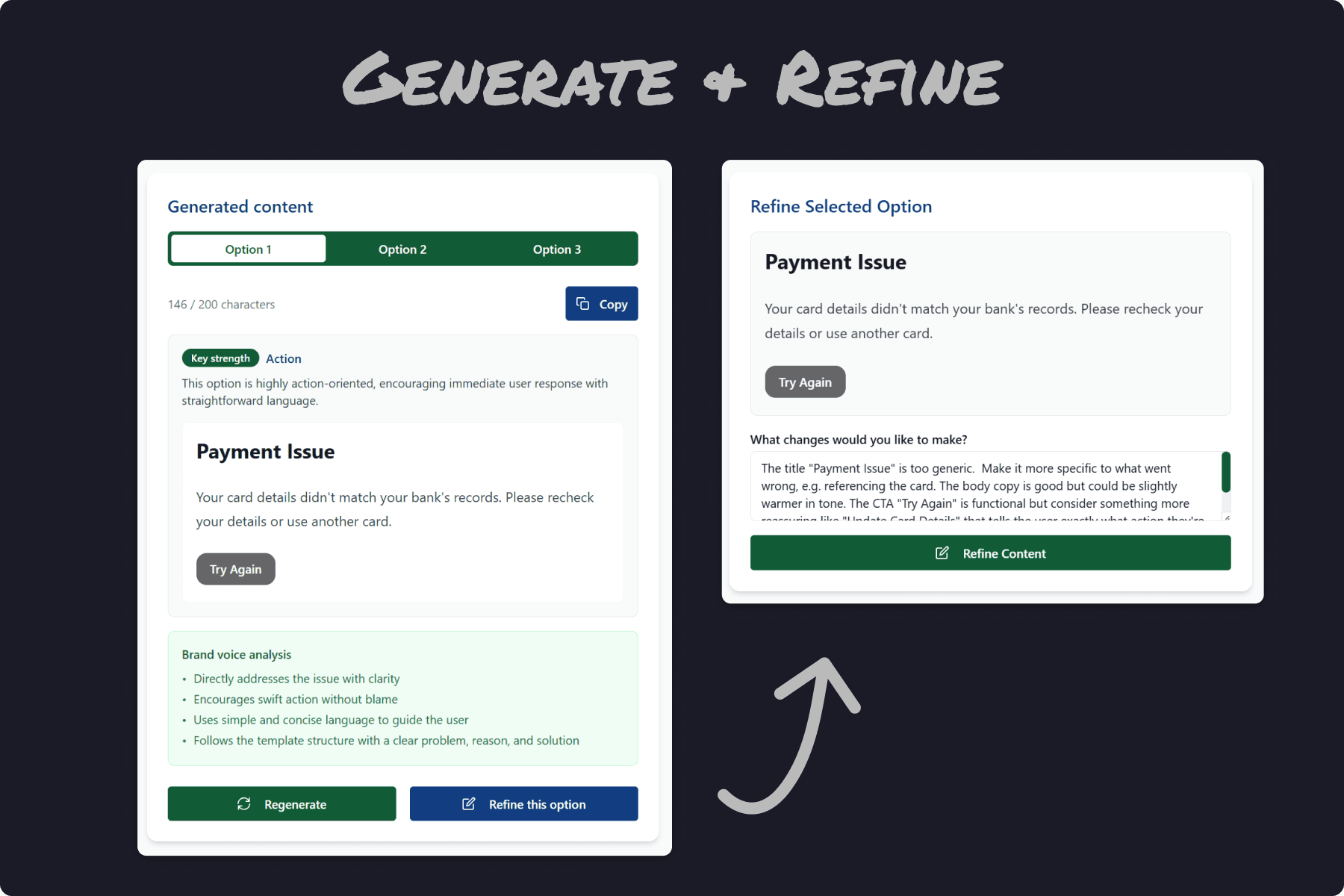
I used my copy refinement checklist to build checks and reviews into the generation pipeline.
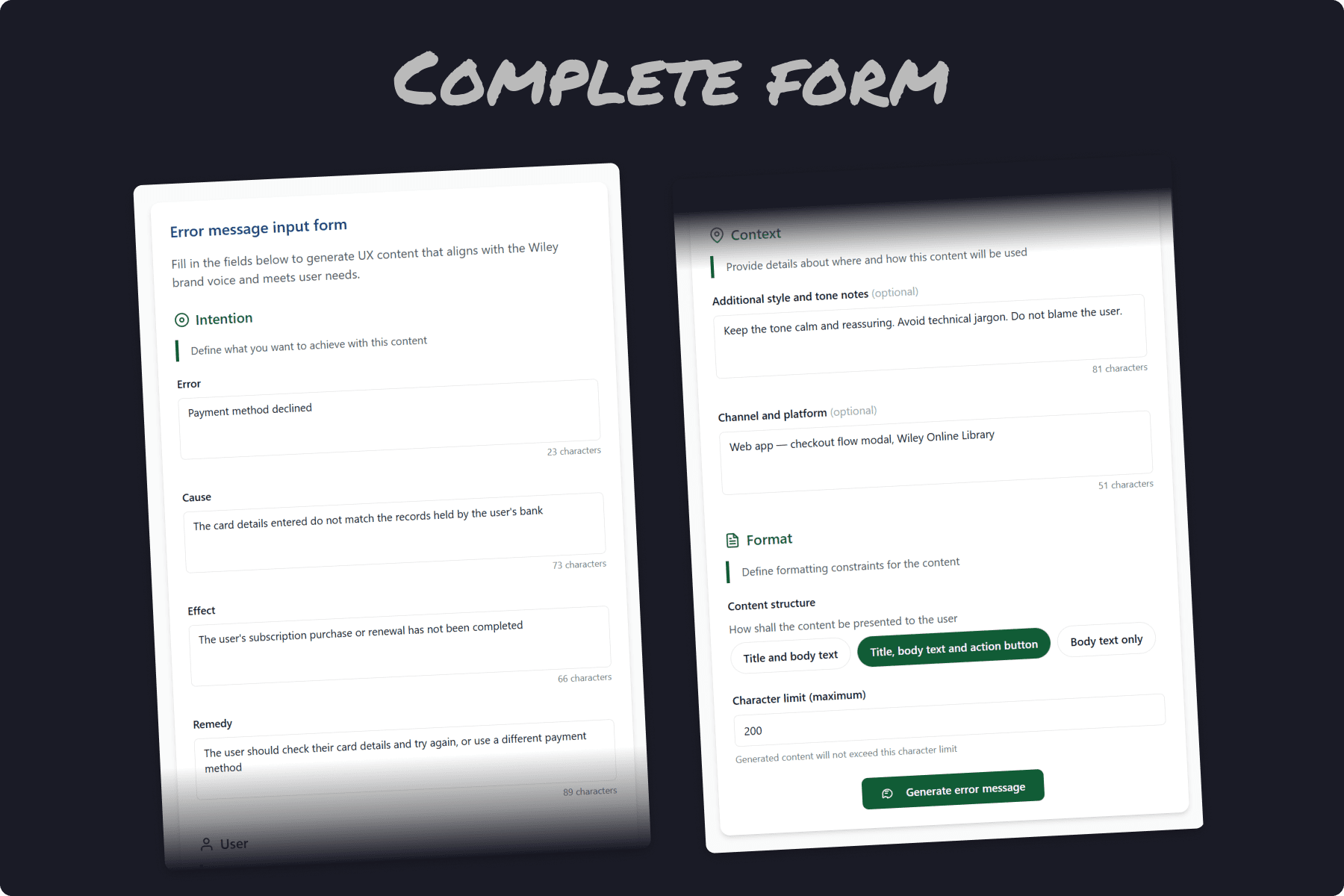
I crafted the form inputs based on my microcopy canvas tool, giving the model enough context to generate useful copy.
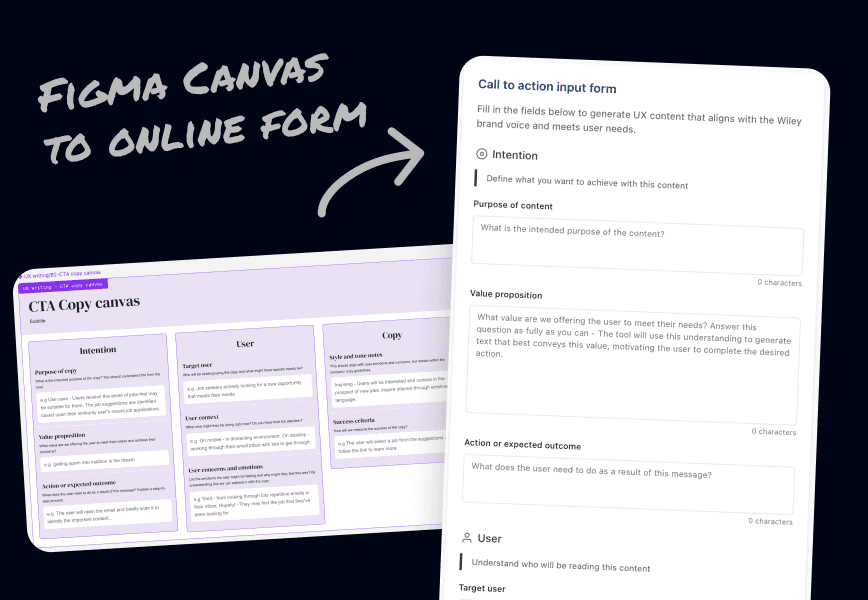
Templates to tools
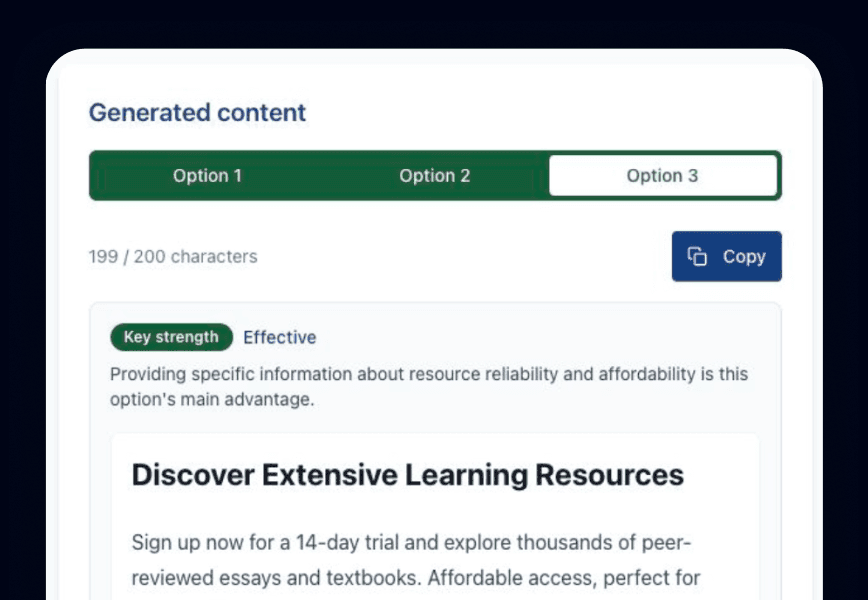
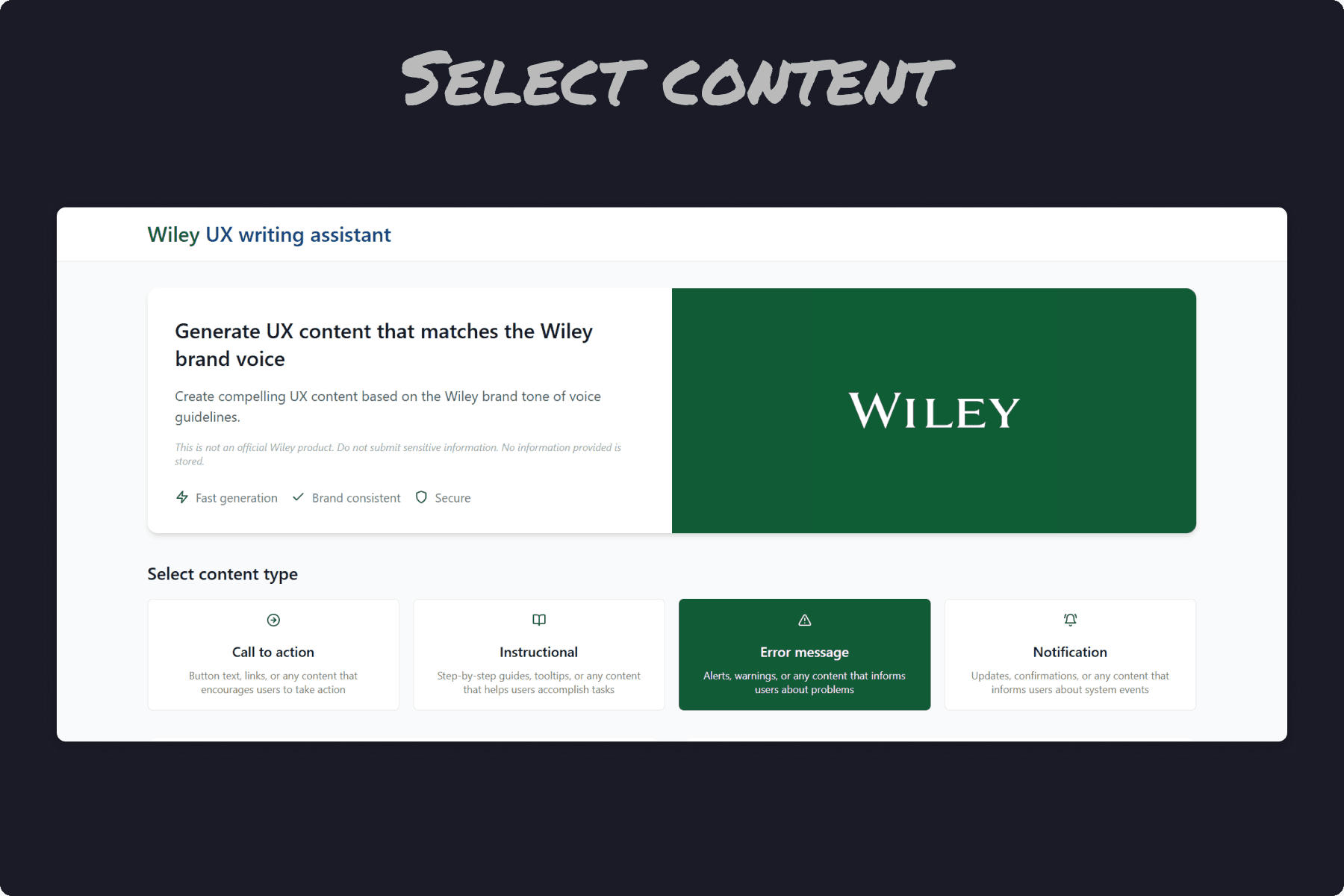
Generate options
The email subject line that proved it's viability
I tested Voicecraft on a real problem, a job market email with a 2% open rate.
The existing subject line read "Market trends: Quantity Surveyor." The tool analysed our user needs, recognised that salary was the highest-value signal, prioritised relevance through the job title, and added timeliness with the month. It generated: "Salary update: Quantity Surveyor, April."
Open rate jumped from 2% to 11%. The tool restructured the hierarchy of information based on what users actually care about, and the result was clear!
Before: 2% open rate.
"Market trends for your role"
Descriptive, generic, no user value signal.
After: 11% open rate.
"Salary update: Quantity Surveyor, April"
Leads with value (salary), adds relevance (role) and timeliness (month).
A key trade-off
I chose to build and ship fast rather than go through a formal product process. That meant accepting rough edges in the interface to validate the core value.
Could I achieve the same, or better results given dedicated focus time? Possibly. But this experiment proved that the baseline of our teams' writing output could be measurably improved, without my direct assistance.
06 — Design Approach
From personal skill to team capability
Educate, don't just generate
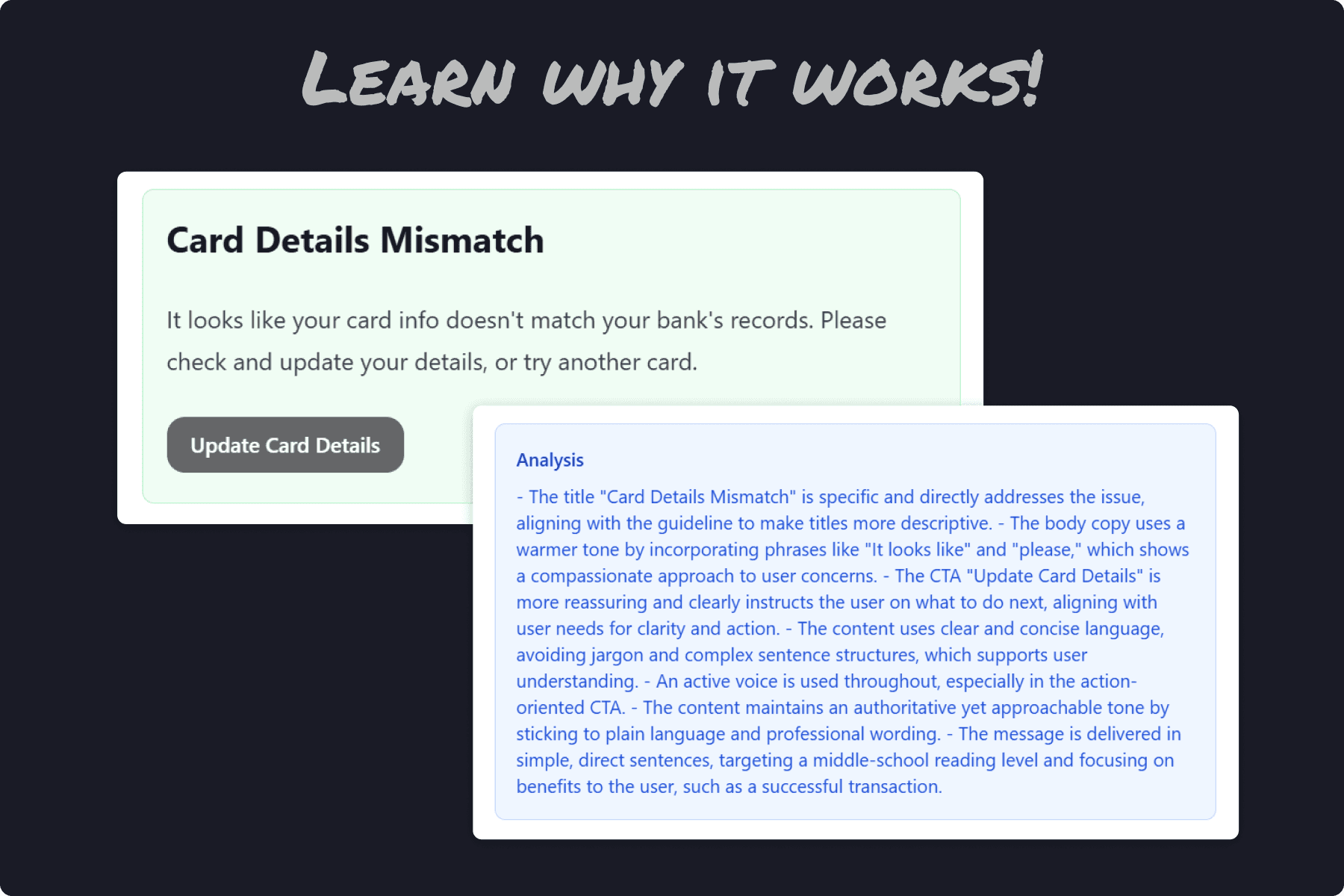
Every output includes a clear explanation of why it works, which UX writing principles it applied and what user need it prioritises. The tool teaches as it serves, building the team's writing instincts over time.
Multiple content types
CTAs, error messages, instructional content, email subject lines - each with tailored form inputs and generation parameters. The tool adapts its reasoning to the context, not just the words.
Team independence
Designers, product leaders and marketers can now generate suitable on-brand copy in my absence. The tool removed me as a bottleneck without removing the standards I'd set.
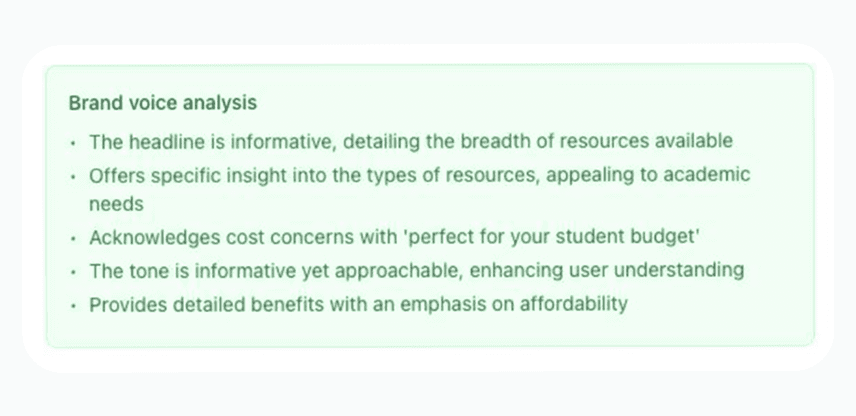
Explain mode
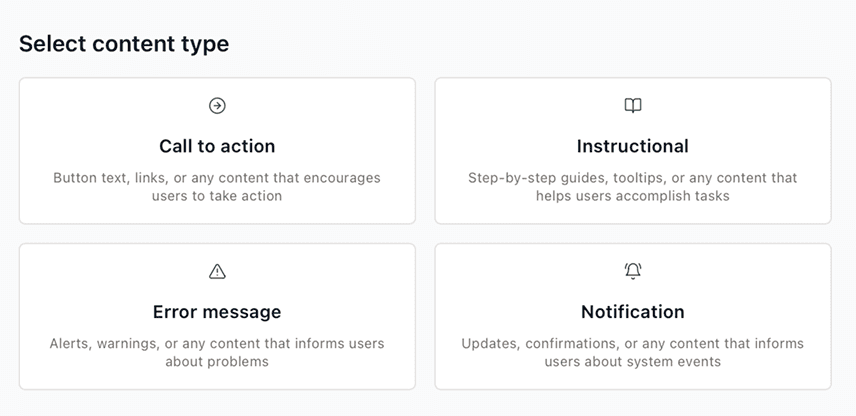
Content types
07 - The Outcome
2% → 11%
2 days to build
From concept to live product. Validating a workflow to build internal tools without the need for developer capacity
3 teams adoption
Design, Product, Marketing all adopted use of the tool reporting effective results
4+ hours saved
Average time spent on UX writing tasks per week. Removing myself as a bottleneck, keeping products launching with effective copy
Most importantly, the tool shifted how the team thinks about copy from afterthought to design material. Colleagues who previously deferred writing decisions now generate, evaluate, and iterate on their own. And learn along the way.
08 — On Reflection
What I learned
Scaling yourself is a design problem.
Many valuable skills on a team are often held by one person. Codifying my UX writing process into a tool was as much a design challenge as any product feature. The reflection pushed me to refine my workflow into its simplest most effective form.
AI tools are only as good as the thinking behind them.
The model generated useful output because I'd spent years developing the frameworks it was trained on. Without the context of the clarifying cheatsheet, the microcopy canvas and the refinement checklist, the model wouldn't know what context was information to consider when writing the copy. The results would have been hollow and generic.
What I'd do differently.
I'd involve the team earlier in defining the content types and form inputs. I designed based on my own assessment of what they needed and the tasks I had been asked to do. While it landed well, co-designing those inputs would have surfaced edge cases faster.
What's next?
Continue to build on my knowledge of self-publishing internal tools and software. This experiment opened the door to multiple new methods that could improve workflows, and remove bottlenecks in both our team and others.